Results
Results (⌘6) is the only outputs browser in the app. Everything a job wrote for a subject is here.
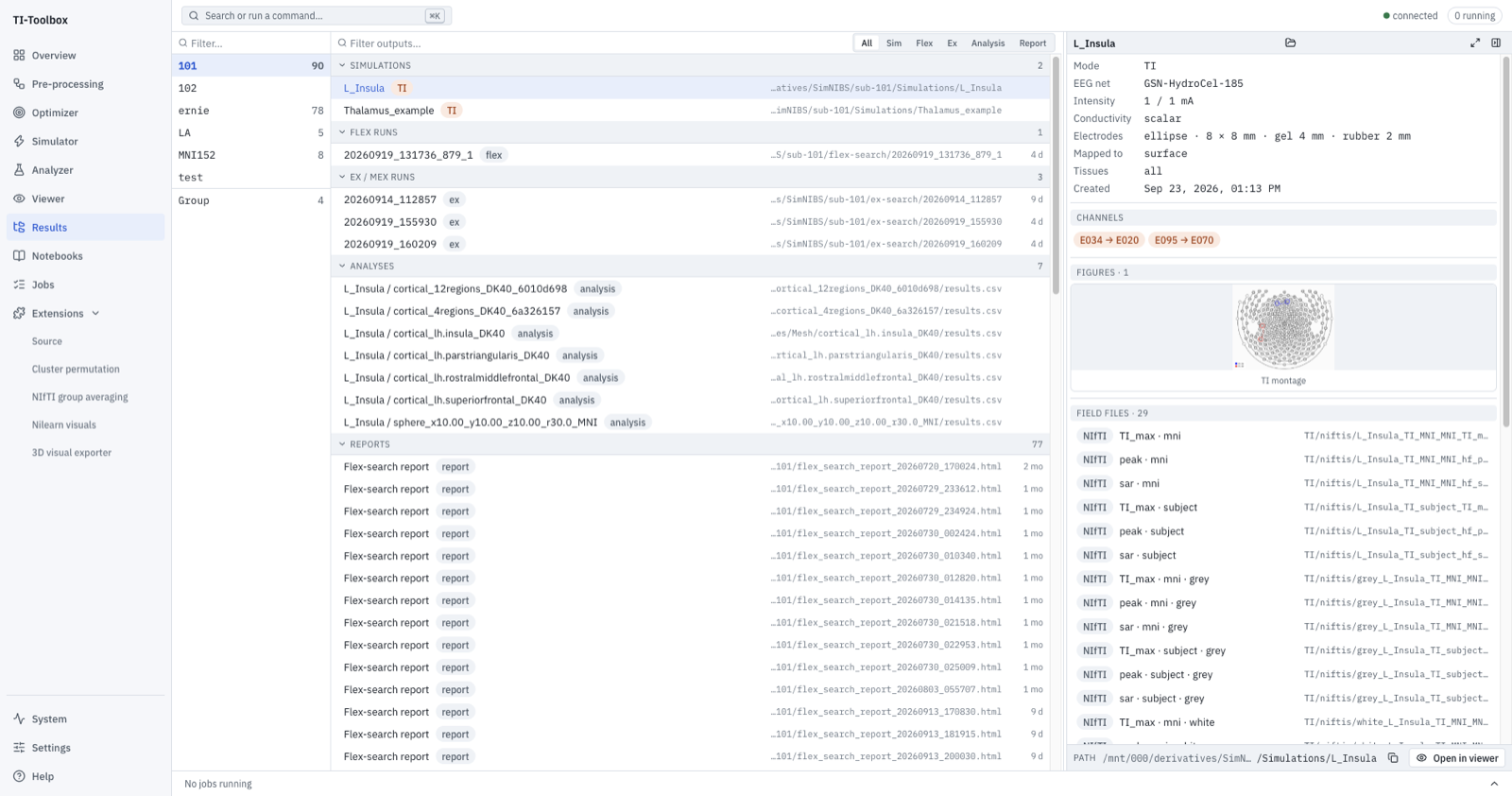 Subject list, outputs tree with type badges, and the preview pane for the selected L_Insula simulation.
Selecting an output opens its details on the right, including when that pane was collapsed. The job artifact action Open in Tetravox opens the selected supported file directly in the embedded viewer.
On disk
Nothing here is a database — the tree is the BIDS derivatives tree, read at the moment you look:
derivatives/SimNIBS/sub-<ID>/
├── m2m_<ID>/                      # head model
├── Simulations/<name>/
│   ├── TI/ (or mTI/)              # the envelope fields, and montage_imgs/
│   ├── high_Frequency/            # the per-pair carrier fields
│   ├── documentation/             # the config the run was launched with
│   └── Analyses/{Mesh,Voxel}/     # per-analysis outputs
├── flex-search/<run>/             # flex_meta.json, optimised positions, mappings
└── ex-search/<roi>/               # final_output.csv and per-montage outputs
See Reports for what a report contains and Analyzer for the analysis outputs themselves.