Overview
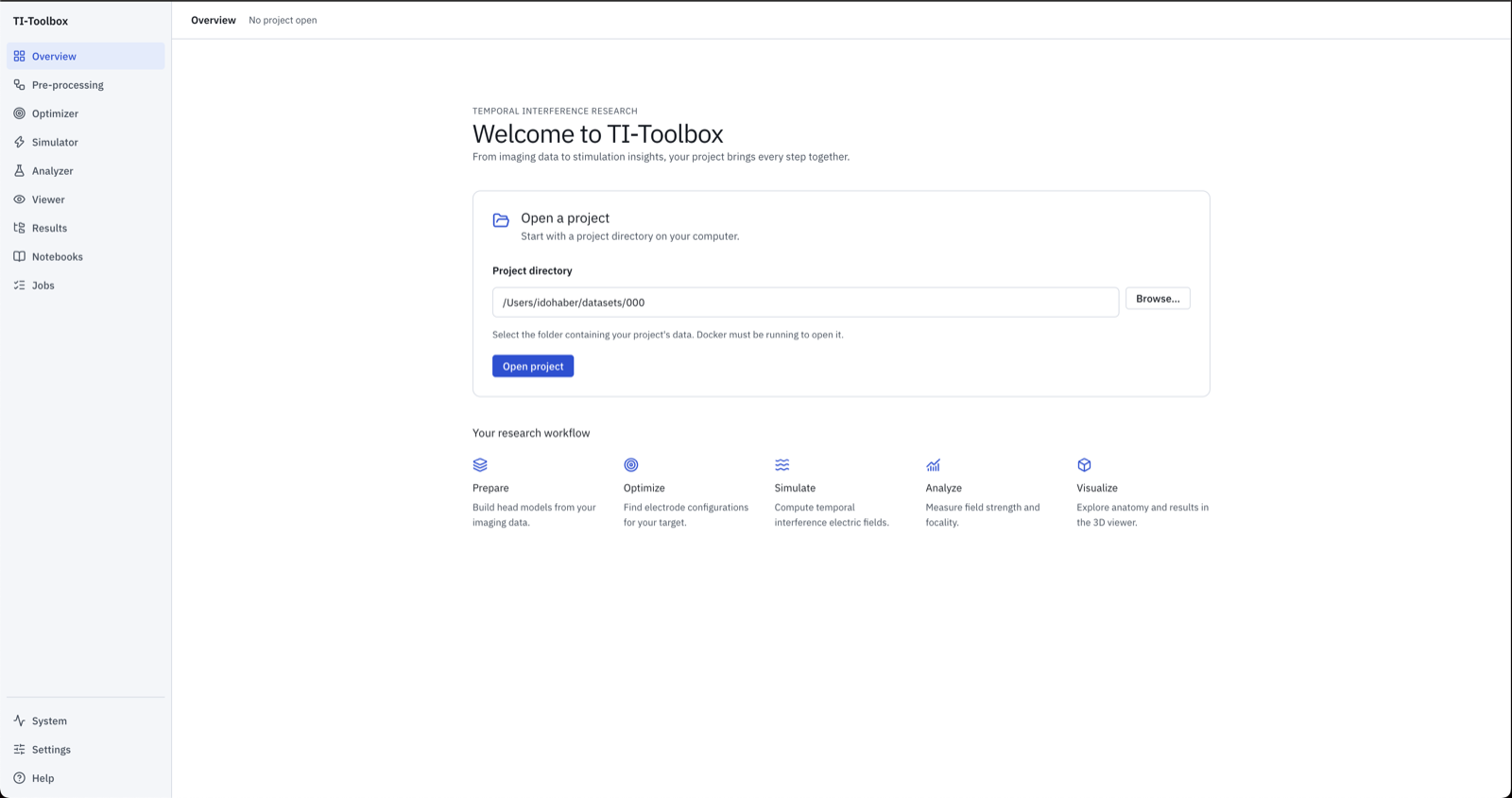
The app opens on a welcome Overview. Enter or Browse… to your project directory, then Open project. Docker must be running. Project tools stay disabled until a project is open.
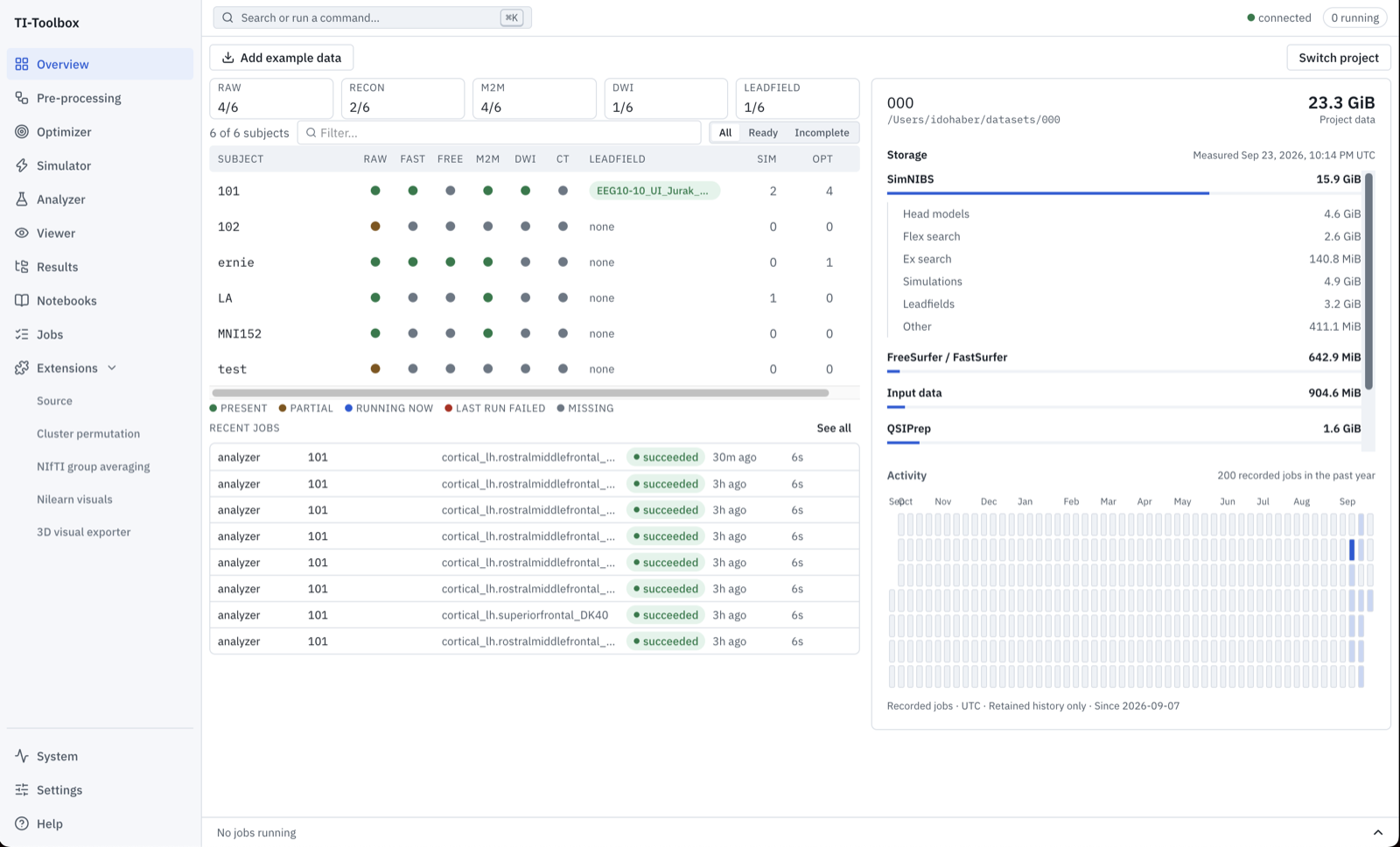 Once connected, Overview shows what every subject has, the most recent jobs, where the project’s disk space goes and its job activity.
Switch project loads another project in a fresh session; the current container is stopped once you confirm. If another TI-Toolbox container is already running you choose whether to attach to it or recreate it. See launch options.
Add example data
Add example data downloads public example heads (raw scans and ready-to-use head models) into the open project; new projects are offered this once. See Example Data.
Project information
The header shows the project name, host path and storage grouped by workflow (head models, searches, simulations, leadfields, FreeSurfer/FastSurfer, diffusion, input data, other). Sizes refresh at most every five minutes. The activity calendar counts retained jobs by submission date over the past year (UTC); job details live on the Jobs page.
The presence matrix
Each row is a subject, each column an artefact the rest of the toolbox depends on:
| Column | What it means |
|---|---|
| RAW | A staged/converted anatomical image exists under sourcedata/ or the BIDS root |
| FAST | FastSurfer segmentation (derivatives/fastsurfer/sub-<id>) |
| FREE | FreeSurfer recon-all output from the optional preprocessing stage or an earlier run |
| M2M | A SimNIBS head model, derivatives/SimNIBS/sub-<id>/m2m_<id> |
| DWI / CT | Diffusion or CT data present |
| LF | A leadfield matrix, and which EEG net it was built for |
| NET | EEG net files registered for this subject |
| SIM / OPT / ANLY | How many simulations, optimizations and analyses the subject has |
A dot has one of five presence states, and they are not opinions — what is on disk always wins:
- present — the artefact is there
- partial — some of it is there (e.g. a leadfield for one net but not the one you selected)
- running now — a job is producing it at this moment
- last run failed — the most recent job for it failed and it is still absent
- missing — nothing on disk and no job
running now and last run failed come from the job records and only ever describe an artefact
that is still absent; they never override a file that exists.
Filtering and the readiness verdict
The All / Ready / Incomplete control filters by whether a subject can be run through the next stage. “Ready” is per stage, and a subject that is not ready says why in one phrase — “no head model”, “no simulations” — rather than silently offering a run that will fail.