Volume layers
One row per volume layer, bottom to top, each with an eye, an opacity slider and a disclosure triangle for its editor. The active layer has an accent border and is what Shift+drag, right-drag and the keyboard act on; [ / ] cycle which layer is active, v toggles its visibility, Ctrl+↑/↓ reorders it.
Each volume layer has a colormap and a negative-branch colormap, linear or heat scaling, a threshold with a soft edge, and nearest/linear interpolation. The histogram under the controls has draggable window and threshold handles and presets (min–max, 2–98 %, p50–p99.9, symmetric ±p99). This is the same control whether the data is an MRI, a CT (where the presets stand in for the usual bone / soft-tissue / lung windows) or a scalar field.
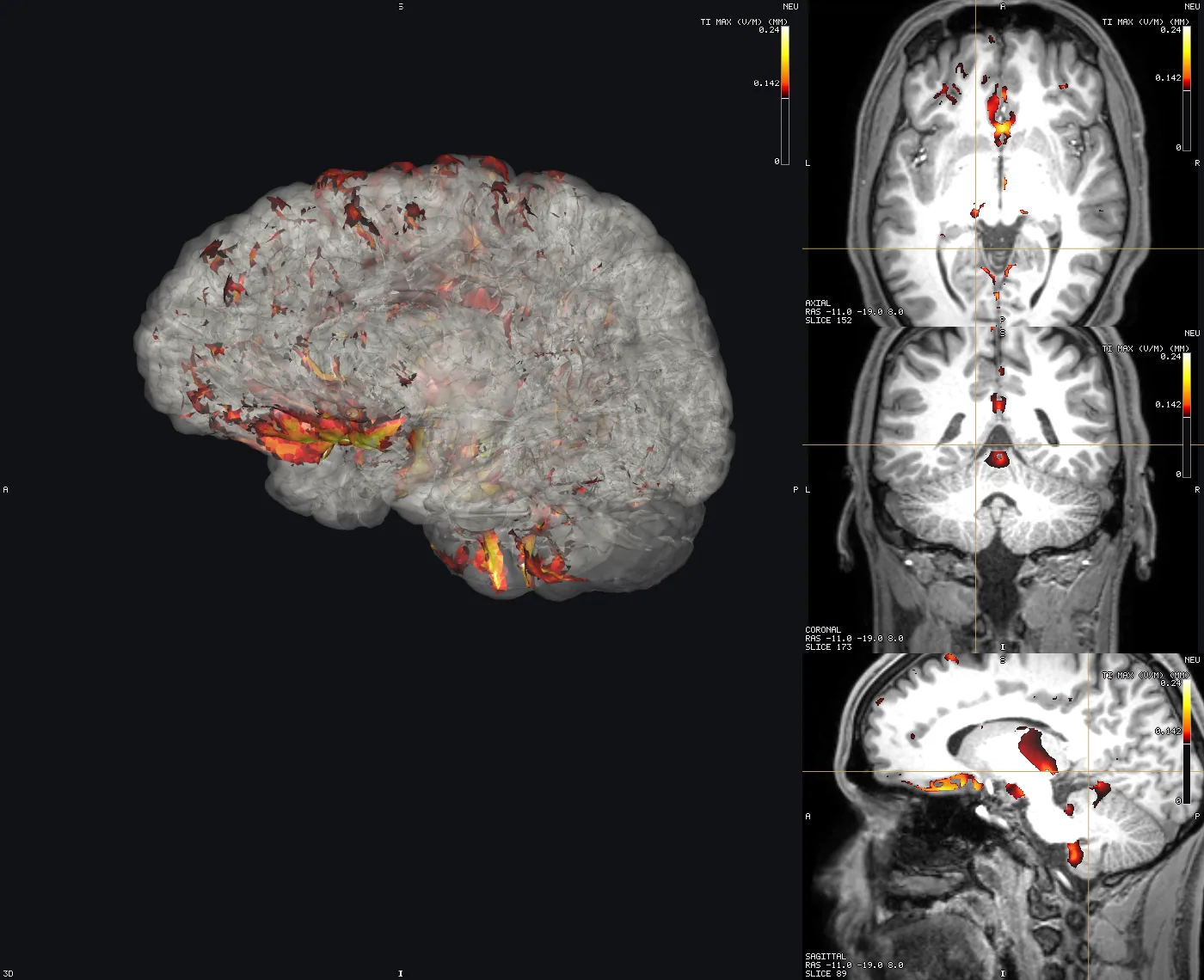
An overlay of a simulated field — tES (TI_max, a tDCS or tACS magnitude) or a TMS E-field — is an ordinary volume layer on a hot scale with its threshold set from its own percentiles, drawn over the anatomy with a colour bar.
A label volume (an atlas or tissue map) gets fill / outline / both instead of a window — see Atlases & regions. A 4D volume gets a frame index you step with , / ..
3D surface turns a volume into isosurfaces in the 3D pane directly from its layer editor — one per visible region for a label volume, in each region's own colour. For deriving an isosurface from a scalar field on a mesh instead, see Isosurfaces.
Diffusion tensors
Open T1 and the tensor NIfTI together. In the tensor layer's properties, choose Display ▸ Tensor · FSL / SimNIBS for DTI_coregT1_tensor.nii.gz or FSL dtifit --save_tensor output. The option appears for six-component float32/float64 volumes. NIfTI symmetric matrices use the other component-order option. The header viewer still shows the original metadata; a missing intent does not prevent explicit tensor interpretation.
Ellipsoids appear on the slices, coloured by principal direction in scanner RAS: red left/right, green anterior/posterior, blue superior/inferior. Zoom in to see their shapes. Spacing samples every 1, 2, 4 or 8 voxels; increase it if the grid exceeds the GPU/memory limit. Min FA hides less-anisotropic tensors. Isotropic tensors are grey; zero, non-finite and non-positive-definite tensors are hidden. Ellipsoid lengths show relative eigenvalues (with a 2% display floor), not absolute diffusivity.
Axes defaults to the FSL convention for FSL data. Other producers may store components along voxel axes or world RAS; select the convention used by the producer. Component order alone cannot establish this. Sheared voxel-axis affines require resampling or tensors already expressed in world RAS. The Show tensor slices in 3D toggle displays the same glyph slices in the 3D pane. Switch Display back to Scalar frames to inspect individual components with the original controls. Tensor display settings are saved in the scene; existing scenes retain scalar display.