
Automation — --job, the job schema, and the Python client
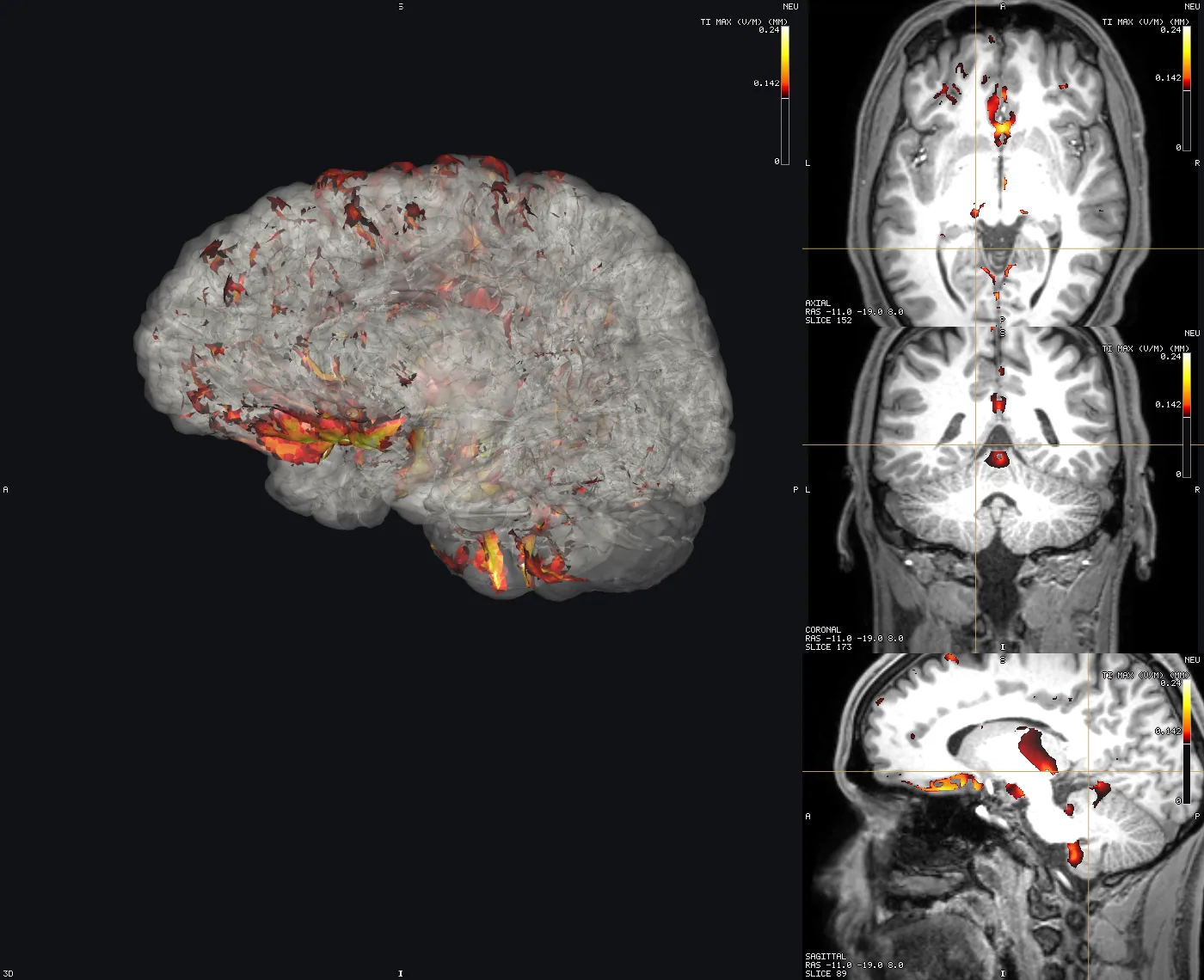
Tetravox can be driven from a script: load data, auto-configure a visualisation, and capture screenshots, slice sweeps and 3D turntables. It is the same application and the same WebGL2 engine the window runs — nothing here is a second, headless renderer — so a picture a job produces is a picture the product produces.
A job never puts a window on your screen and never takes focus. --job forces the offscreen mode packages/app/src/main/window.ts documents: the BrowserWindow is built, renders on the GPU, and is never shown. TETRAVOX_E2E_HEADED does not override it — a batch render must not interrupt whatever you are doing halfway through.
Tetravox --job job.json --out figures/ [--quiet]Exit status is 0 when every action succeeded and 1 otherwise, and figures/job-result.json says what was written, how long it took, and what went wrong.
1. Ten seconds of Python
pip install -e python/from tetravox import Job
result = (
Job(files=["m2m_ernie/T1.nii.gz", "Simulations/…/sim_TI_max.nii.gz"], preset="ti-field-on-t1")
.set(cursor=(0, -18, 8), view="axial", mm_per_px=0.3)
.screenshot("axial.png", view="axial", width=800, dpi=300, crosshair=False)
.sweep("sweep", view="axial", start=-50, stop=70, count=24, fps=12, format="mp4")
.run("figures/")
)
result.raise_for_status()
print(result.files)That is the picture above, plus a 24-frame GIF and an MP4. Four runnable examples are in examples/capture/.
2. The job file
A job is one JSON document: a scene, a window, and a list of actions. Actions run in order against one loaded scene, which is the point — loading ernie.msh is 184 MB and about a second, and six figures from six launches would pay for it six times.
{
  "version": 1,                                    // optional; must be 1 when present
  "scene": { "files": ["…/T1.nii.gz"], "preset": "ti-field-on-t1" },
  "window": { "width": 1400, "height": 900 },      // optional; default 1400×900, no panels
  "actions": [
    { "type": "set", "cursor": [0, -18, 8], "mmPerPx": 0.3, "view": "axial" },
    { "type": "screenshot", "out": "axial.png", "view": "axial", "width": 800, "dpi": 300 },
    { "type": "sweep", "view": "axial", "out": "sweep", "from": -50, "to": 70, "count": 24 },
    { "type": "orbit", "out": "orbit", "frames": 36, "degrees": 360, "axis": "z" }
  ]
}
Relative paths in scene resolve against the job file's directory. Output names resolve against --out and may not escape it — a leading / or a .. is rejected before anything runs.
A scene path may also name an environment variable as ${NAME}, which is how a committed job can point at data that does not live in the repository:
{ "scene": { "files": ["${TETRAVOX_TESTDATA}/m2m_ernie/T1.nii.gz"], "preset": "ti-field-on-t1" } }/developers/testing already makes TETRAVOX_TESTDATA the name of the SimNIBS subject to work against, so a job using it runs on anyone's checkout and on none of the alternatives: an absolute path is reproducible on exactly one machine, and ../../../../datasets/… encodes a guess about where the checkout sits next to the data. Only ${NAME} is expanded — a bare $NAME is left alone, because a $ in a file name is legal — and an unset variable is an error rather than an empty string.
The window is the render target. A job's window has no panels: the whole of it is the view grid, because a screenshot comes off the engine's canvas and never contains the panels anyway. A bigger window is a sharper picture, not a bigger crop.
"window": { "width": 1920, "height": 1080, "panels": true } is the one exception, and it exists for the one job the engine cannot photograph: a tour of the interface. It keeps the §8 shell on screen — toolbar, layer panel, region list, tissue table, status bar — and view: "window" on a screenshot or a tween captures the whole window rather than the canvas, through capturePage in main. Every other capture still comes off the engine, which is what keeps a job's output honest; panels changes what is in the window, never what the engine draws. Note that the layer panel shows every layer the scene loaded, so a tour usually wants a small scene of its own.
2.1 scene
Either a saved scene, which restores everything it carries — layers, colormaps, thresholds, the camera (ARCHITECTURE §4.6):
{ "scene": { "path": "study.tetravox.json" } }…or a list of files plus a preset:
{ "scene": { "files": ["T1.nii.gz", "ernie.msh"], "preset": "mesh-tissues-translucent" } }Files are opened exactly as the Open… dialog opens them, so a mesh's .msh.opt and a label volume's _LUT.txt are found beside it and the tissues come out named and coloured rather than as tag 1005.
2.2 Presets
A preset auto-configures the layers it recognises. Every number a preset picks is read off the data — a threshold typed into a preset would render an empty pane on one subject and a solid block on the next.
| Preset | What it does |
|---|---|
plain | Loads the files and leaves them alone. |
ti-field-on-t1 | The field-over-anatomy preset. Grey anatomy underneath; a simulated field over it on a hot scale, thresholded at the field's own 90th percentile with the scale running p90 → p97 → p99.9, colour bar on. It is not specific to one stimulation paradigm: the field can be any *_max.nii.gz volume (a tES TI_max, a tDCS or tACS magnitude, a TMS E-field) or a mesh carrying a scalar field — TI_max when it has one, otherwise the mesh's own field. The id is kept for compatibility with existing jobs. p99.9 rather than the maximum because Thalamus_TI.msh peaks at 10.29 V/m against a p99.9 two orders of magnitude below it, and a max-anchored scale renders everything below the peak in the bottom colour. |
mesh-tissues-translucent | Scalp at 0.3, skull at 0.5, opaque grey and white matter, both faces drawn. Only tags the mesh actually has are styled. |
atlas-outline | The label volume as outlines (nearest interpolation — interpolating a label volume invents ids that are not in the file) over whatever anatomy is loaded. |
A preset that cannot find what it needs records a warning in job-result.json and carries on; it never invents a lookalike.
2.3 Actions
set — change the scene
| Key | Meaning |
|---|---|
layer | Which layer patch applies to: an index (bottom→top), a name ("T1.nii.gz"), a suffix of the dataset's path, or "active". Default "active". |
patch | A Partial<Layer> in the app's own vocabulary (§4.4) — {"colormap": "viridis", "opacity": 0.6} — passed to Engine.updateLayer untouched. |
active | Make a layer the active one, the same selector as layer. It is what clicking a row in the layer panel does, and it is invisible to an engine screenshot — it decides which controls a view: "window" capture has on screen. |
cursor | [x, y, z] in world RAS millimetres. The slice planes are derived from it (§4.5), so this is how you choose a slice. |
layout | 1x1, 1x3, 1x3-horizontal, 2x2, 3d-only, 1+3, 3d+1. |
view | Which view camera / reset / mmPerPx / center / distance apply to. Default view3d. |
camera | A 3D camera preset: "1"–"6", or A P L R S I. |
mmPerPx | 2D zoom for view. Smaller is closer; the scene default is 0.5, which covers 350 mm on a 700 px pane. |
center | 2D pan for view, [x, y] millimetres from the scene bounds' centre. |
distance | 3D camera distance from its target, millimetres. Default 400 ≈ a 250 mm field of view. |
reset | Refit view to the scene bounds. Note it fits one axis of the pane and crops the other, so mmPerPx is usually what a figure wants. |
radiological | Radiological convention on or off. |
annotations | colorbar, crosshair, orientationLabels, cornerInfo, scaleBar — the scene's chrome, as opposed to a single screenshot's include. |
screenshot — one PNG
| Key | Default | Meaning |
|---|---|---|
out | — | File name under --out. .png is appended when missing. |
view | grid | grid for the whole view grid, a view id for that pane, window for the whole window including the panels (needs window.panels), or figure for a labelled multi-panel figure (below). |
width / height | the pane's | The output size. The frame is rendered at this size rather than upscaled, so 2400 px is 2400 px of detail. Give one and the aspect ratio is kept. |
scale | 1 | Supersampling: render this much larger and average down. |
dpi | — | Written to the PNG's pHYs chunk. |
background | scene | scene, white, black, or transparent. black is the imaging-convention canvas for a plate that will sit on a black page. |
autoTrim | false | Crop the border away. |
include | see below | colorbar, orientationLabels, crosshair, cornerInfo, scaleBar. Defaults: colour bar, orientation labels and corner info on, crosshair and scale bar off. The RAD/NEU badge is never optional (§8) — a screenshot that could drop it would be a laterality hazard the moment it left the application. |
| figure | — | With view: "figure": panels (view ids, default every pane of the layout, in reading order), columns (0 = auto: 4 → 2×2, 3 → 2+1), gutterMm (2), labels (upper A/B/C · lower · none), labelPt (10), background (white page or transparent). Each panel is its own capture at width/dpi — so each keeps its own colour bar, letters and scale bar — and the page's pHYs carries dpi. |
A publication figure in one action — every pane at 85 mm (1004 px at 300 dpi) on a white page:
{ "type": "screenshot", "out": "figure-1.png", "view": "figure", "width": 1004, "dpi": 300,
  "background": "white", "autoTrim": true, "include": { "crosshair": false, "cornerInfo": false },
  "figure": { "columns": 2, "gutterMm": 3, "labels": "upper" } }
sweep — step a 2D view through the volume
| Key | Meaning |
|---|---|
view | axial, coronal or sagittal. (view3d is refused, and points you at orbit.) |
out | Base name under --out. Frames are <out>-0000.png, zero-padded so they sort. |
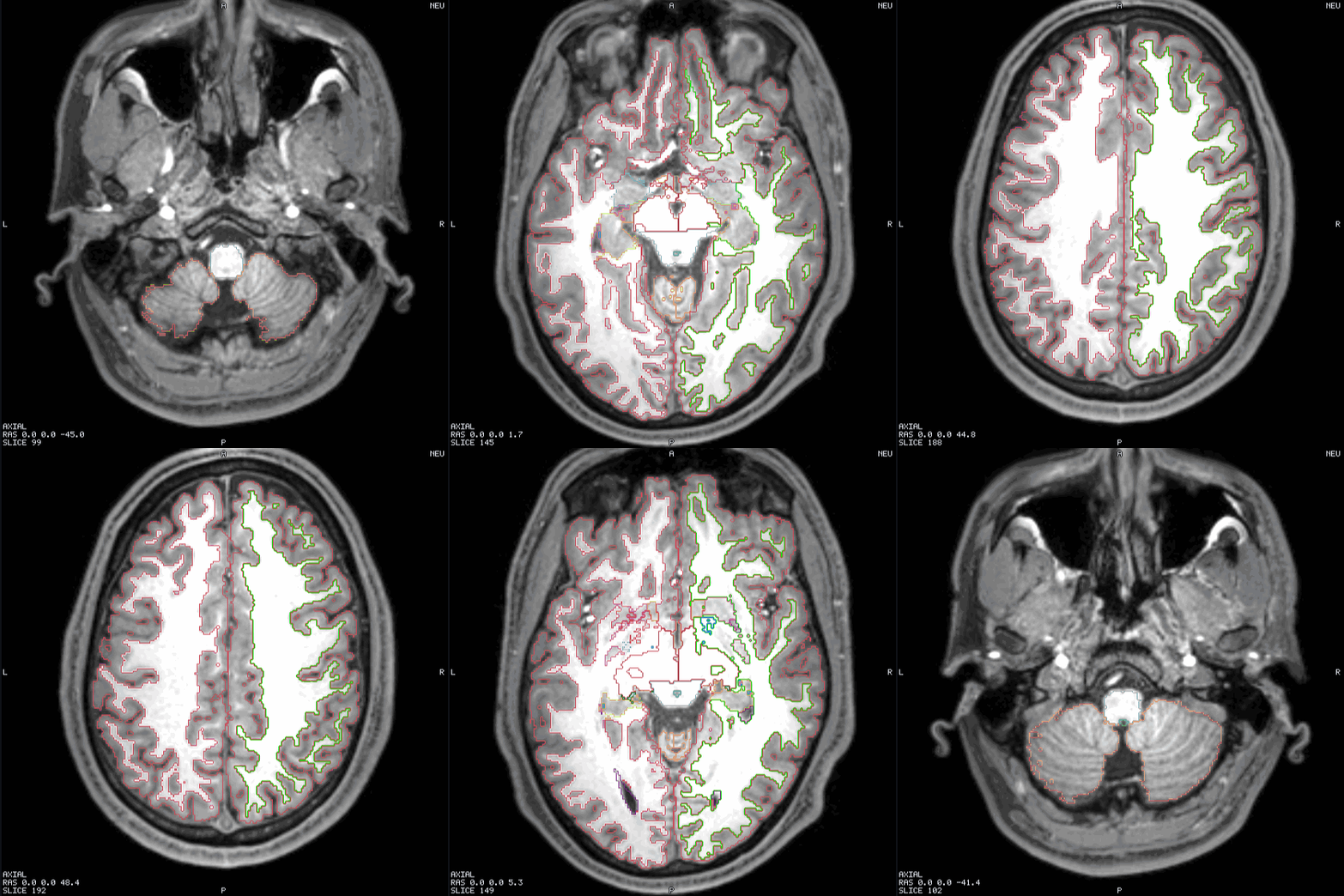
from / to | Millimetres along the view's normal, world RAS. Both default to the scene's extent along that axis, inset 5 %. The default is a survey, not a figure: a T1's box is 255 mm around a 180 mm head, so a default sweep spends its first frames below the chin. |
step | count | Millimetres per frame, or a frame count with both ends inclusive. Not both. |
fps | 10 by default. |
format | "mp4" or a list. PNG frames and a GIF are always written; format only ever adds. |
colors | GIF palette size, 2–256 (default 256). |
width / height, background, include | As screenshot. |
orbit — turntable the 3D view
| Key | Default | Meaning |
|---|---|---|
degrees | 360 | Total rotation. |
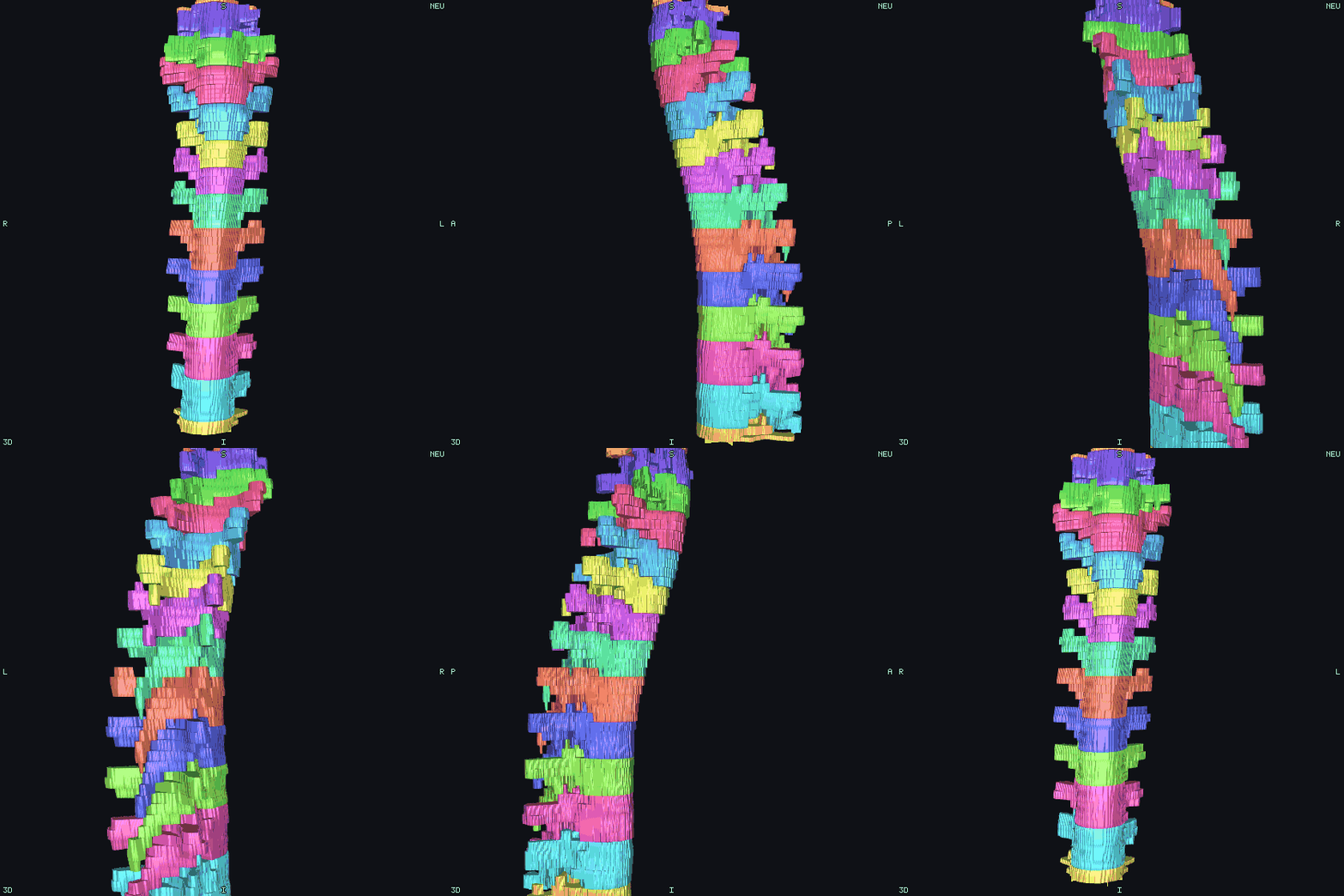
frames | 36 | Frames over degrees. The last stops one step short, so a full turn loops with no repeated frame. |
axis | z | World axis to orbit about (z is superior in RAS). |
out, fps, format, colors, width, height, background | As sweep. |
The camera is put back where it started afterwards, so a screenshot after an orbit photographs the scene the job set up.
tween — N eased frames between two scene states
sweep steps a slice and orbit turns a camera; each owns the one parameter it varies. A tween moves anything a number can describe — the cursor, the 3D camera's distance and target, a pane's zoom and pan, and any numeric field of any layer: an opacity, a clip-plane offset, a threshold, an iso level, a glyph length — over frames frames with an ease. It is what a narrated shot needs, and it is what examples/capture/showcase.py writes the showcase film out of.
| Key | Default | Meaning |
|---|---|---|
out | — | Base name, as sweep. |
frames | 30 | Frames, inclusive of both ends: frame 0 is the start state and the last frame is exactly to. frames: 1 is therefore a one-frame hold on to. |
ease | inOut | linear, in, out, inOut — the cubic family. |
from | the live scene | The start state. Omitted, each value is read off the scene at the moment the action runs, path by path, so a shot says where it is going and not also where it already is. |
to | — | The end state. |
orbit | — | { degrees, axis }: an eased camera orbit about a world axis, run across the same frames and composed with to.distance / to.target, so one shot can dolly in while it turns. |
view | grid | The capture target, as screenshot — window included. |
fps, format, colors, width/height, background, include, sequence, gif | As sweep. |
A state — from and to both — is a subset of:
{
  "cursor":   [-33.4, 31.2, 16.3],          // world RAS mm; every 2D pane's slice follows it
  "distance": 260,                          // 3D camera distance, mm
  "target":   [0, 18, 4],                   // 3D camera target, world RAS mm
  "views":    { "axial": { "mmPerPx": 0.13, "center": [-37, 4.5] } },
  "layers":   [ { "layer": "labeling.nii.gz", "patch": { "opacity": 0.9 } } ]
}layout, camera and radiological are deliberately not in it: there is no frame that is 40 % of the way from a 2×2 layout to a 1×1 one. Change those with a set between two tweens.
Three rules make a layer tween behave the way a shot means it:
- Only numbers are interpolated. A string (
"colormap": "jet"), a boolean, anull— anything with no halfway — takes itstovalue from the first frame, because a control that flips at the last frame reads as a glitch rather than a cut. - A tween's patch is deep-merged onto the layer's current value.
updateLayermerges a patch at the top level only, which is right forset, where the caller writes out the whole field. A tween names leaves —{"clip": {"planes": [{"plane": {"offset": -16.3}}]}}— and a top-level merge would throw away the plane's normal, the isolation's tags and the glyphs' subsampling along the way. - A tween leaves the scene where it ended. An orbit is a capture and puts its camera back; a tween is a move, and the next action starts where this one stopped.
{ "type": "tween", "out": "shot", "frames": 90, "ease": "inOut",
  "orbit": { "degrees": -30, "axis": "z" },
  "to": { "distance": 320,
          "layers": [{ "layer": "ernie.msh",
                       "patch": { "tagStyle": { "1005": { "opacity": 0.2 } } } }] } }
null in any patch — set's as well as a tween's — means unset the field. §4.4 uses absence for "this layer has no isolation / no glyphs / no 3D surface", and JSON has no undefined, so {"isolate": null} is how a job turns one of those back off.
sequence — many actions, one video
A minute of video is not one camera move, and a per-action encode cannot express twenty shots that have to become one file. Every frame action (sweep, orbit, tween) takes sequence:
| value | frame numbering | encodes |
|---|---|---|
| absent | from 0000 | yes — the action is a sequence of one, which is what every job written before this did |
"start" | from 0000 | no |
"continue" | after the frames already written under this out | no |
"end" | ditto | yes, over the whole sequence |
All the actions share one out, and the encode reads the PNG frames back off disk (<out>-%04d.png is already what ffmpeg's image2 demuxer wants), so a 1,885-frame 1080p video never has to be held in memory at once.
gif: false on a frame action skips the GIF. The GIF is otherwise unconditional so that a machine with no ffmpeg still gets an animation — the PNG frames are written either way, so that reason survives the opt-out, and at 1920×1080 over a thousand frames a GIF is neither small nor watchable.
Frame limits. A sweep, an orbit or a tween is capped at 720 frames each, and the cap is recorded as a warning rather than silently applied. A sequence is not capped: it is as long as its actions.
save-scene — write the scene
| Key | Meaning |
|---|---|
out | File name under --out; .tetravox.json is appended when missing. |
Exactly what File ▸ Save Scene writes (§4.6): every layer, colour map, threshold and camera as they stand after the preceding actions, with dataset paths relative to the file. Run a job beside its data and the scene names bare files — which is how the scenes shipped with File ▸ Sample Data… are produced (scripts/sample-data/scenes/make-scenes.py: files + a preset + a few sets + save-scene), so their numbers come from the data, not from a keyboard.
module — run an extension's operation
An extension (§13) is a first-party tool with its own panel, keys and files; the sEEG contact editor is the first. Every button in its panel is also an operation, and this one action type runs them — whichever extension, whichever operation, forever:
{ "type": "module", "module": "tetravox.seeg", "op": "snap",
"args": { "scope": "all", "radiusMm": 1.5 } }| Key | Meaning |
|---|---|
module | An extension id this build carries. An unknown one is refused with the list of the ones that exist. |
op | One of that extension's declared operations (§2.7). |
args | The operation's own arguments. An argument it did not declare is an error, not a key that is quietly dropped. |
The extension's manifest is the schema, so the whole action — the id, the operation, every argument and its type — is checked in main before a window is created, along with every other problem in the document. Arguments are number, string, boolean (each optional with a trailing ?), vec3?, and two that name files:
pathis an input.${VAR}is expanded, a relative path resolves against the job file's directory, and it is allow-listed for the extension to read — exactly what happens toscene.files.outis a name under--out, held to the same rule as every other output name, and the extension may write it and the companion files its writer declares (<stem>_editlog.json) beside it. A job never writes over the file it read: anoutis under--outand nowhere else, which is also why a save there produces no.bak— there is nothing yet to back up.A writer that declares a
{derivatives}target (§5 rule 11, 2026-09-03) resolves it the same way in a batch run as in the app: by walking up from theoutpath for a directory namedderivatives, or for thedataset_description.jsonthat marks a BIDS root. Under a plain--outdirectory there is usually neither, and the target is then dropped rather than invented — so a job that wants an extension's derivative output points--outinside the dataset it belongs to.
What the operation returned comes back in the result file, so a job can ask as well as render:
{ "action": 2, "type": "module", "module": "tetravox.seeg", "op": "snap",
  "files": [], "ms": 412, "result": { "moved": 96, "meanShiftMm": 0.42 } }
The operations each extension offers are listed in §2.7 below, which is generated from the manifests themselves.
2.4 job-result.json
{
  "ok": true,
  "schemaVersion": 1,
  "job": "/abs/path/job.json",
  "outDir": "/abs/path/figures",
  "outputs": [
    { "action": 1, "type": "screenshot", "files": ["axial.png"], "ms": 304 },
    { "action": 2, "type": "sweep", "files": ["sweep-0000.png", "…", "sweep.gif"], "ms": 2130 }
  ],
  "timings": { "totalMs": 4820, "loadMs": 1544, "actionsMs": 2434 },
  "warnings": [],
  "errors": []
}
files are relative to outDir, in the order they were written. A run that failed still writes this file: ok: false with the reasons in errors, which is what makes a failed batch diagnosable from a log rather than from a screen.
A job that ran an extension operation also carries modules — every extension it used and the version that ran it, so a figure produced by one is re-derivable a year later:
{
  "modules": [{ "id": "tetravox.seeg", "version": "0.1.0" }],
  "outputs": [
    { "action": 0, "type": "module", "module": "tetravox.seeg", "op": "snap",
      "files": [], "ms": 412, "result": { "moved": 96, "meanShiftMm": 0.42 } },
    { "action": 1, "type": "module", "module": "tetravox.seeg", "op": "save",
      "files": ["contacts.tsv"], "ms": 38, "result": { "path": "contacts.tsv" } }
  ]
}
The key is absent when no extension ran, so every job written before extensions existed produces the same result file it always did. result is whatever the operation returned, and files are its out arguments — relative to outDir, like every other action's.
2.5 Video
PNG frames and a GIF are always written, by a GIF encoder inside the app — no external tool is involved, so the animation path cannot fail because of the machine it ran on. format: "mp4" adds an H.264 file when ffmpeg is on PATH; when it is not, the run still succeeds and records
no ffmpeg on PATH — sweep.mp4 was not written (the GIF was)in warnings. TETRAVOX_FFMPEG names a specific binary.
The GIF's palette is one global table quantised over every frame, and it is not dithered — a shared palette is what stops consecutive slices of the same volume shimmering between two different greys, and dithering a medical image invents texture that is not in the data. For a dense 3D render, colors: 32 and a smaller width are the two knobs that matter: the turntable above is 1.9 MB at 256 colours and 250 kB at 32. An MP4 is a fifth the size of either, at full resolution.
2.6 When a job is wrong
The document is validated before a window is created, and every problem is reported at once with a path into the document:
[tetravox:job] actions[2].step: must not be 0
[tetravox:job] actions[3].out: must be a relative name inside --out (no leading /, no ..)
[tetravox:job] scene.preset: must be one of plain, ti-field-on-t1, mesh-tissues-translucent, atlas-outline
An input file that does not exist is named. A job that produces no result at all within TETRAVOX_JOB_TIMEOUT_MS (default 600 000) fails rather than hanging.
2.7 Extension operations
Every operation the compiled-in fixture declares, with the arguments each one takes. A real (installed) extension declares its operations in its own manifest and documents them in its own repository and the Extensions catalogue, so it is not listed here — the sEEG editor is one such extension (§13.8). This section is generated from the manifests by scripts/sync-module-docs.mjs — the same declarations the job validator checks an action against — so edit a manifest and re-run the script rather than editing the table. CI checks it with --check.
tetravox.hello — Hello 1.0.0
| Operation | Arguments |
|---|---|
echo | text a string |
3. The Python client
python/tetravox/, standard library only — it is meant to drop into an analysis environment that already has its own pinned scientific stack.
from tetravox import Job, JobError

Job(files=[...], preset="plain", window=(1400, 900))   # or Job.from_scene("study.tetravox.json")
   .set(...)          # layer patch, cursor, layout, camera, zoom
   .screenshot(...)   # one PNG
   .sweep(...)        # PNG frames + GIF (+ MP4)
   .orbit(...)        # PNG frames + GIF (+ MP4)
   .tween(...)        # N eased frames between two scene states
   .module(...)       # one operation of a module (§13)
   .run(out_dir, app=None) -> JobResult
Each method returns self, so a script reads in the order the app executes it. to_dict() / to_json() / write(path) give you the document without running anything — useful for a job you want to submit to a cluster.
JobResult carries ok, files (absolute, in order), files_for(action_index), timings, warnings, errors, modules, results(), and raise_for_status().
Extensions
Job.module(module_id, op, **args) runs any operation of any extension, and the argument names are the extension's manifest's, verbatim — radiusMm, not radius_mm — because the manifest is the schema the app validates against and a translation table in the client would be a second copy of every extension's arguments, wrong the moment one is added:
job.module("tetravox.seeg", "snap", scope="all", radiusMm=1.5)tetravox.modules is where an extension's vocabulary is written in Python's, per extension: snake_case parameters, one real signature per operation, and path arguments made absolute the way Job(files=...) makes them absolute — which matters, because the job document is written into the output directory and the app resolves a relative path against the document.
from tetravox import Job
from tetravox.modules import seeg

job = Job(files=[ct], preset="plain")
seeg.load(job, ct=ct, tsv=tsv)        # open a CT and a BIDS electrodes table
seeg.snap(job, scope="all", radius_mm=1.5)
seeg.refit(job)                       # PCA line fit, even re-spacing, relabel
seeg.stats(job)                       # per-electrode geometry, no files
seeg.save(job, out="sub-01_space-T1w_electrodes.tsv")

result = job.run("out/").raise_for_status()
print(result.modules)     # [{'id': 'tetravox.seeg', 'version': '0.1.0'}]
print(result.results())   # what each operation reported, in order
results() is the half a renderer does not have: stats writes nothing and answers with numbers, so a batch over twenty subjects can print a table and produce no files at all. The wrappers are data — they build a document and never import the extension — so they install and run on a machine whose build does not carry it; the app is what refuses such a job, by name, before it opens a window.
Python's parameter names differ from the JSON in exactly three places, all forced: sweep(start=, stop=) and tween(start=) for from (a keyword), sweep(stop=) for to, and mm_per_px for mmPerPx (snake case). sequence, gif and the include flags (colorbar=, crosshair=, …) are on all three frame methods, so a multi-shot video is expressible without hand-writing JSON; Job(..., panels=True) sets window.panels.
Finding the app
run() looks, in order:
TETRAVOX_APP— an executable, or a macOS.appbundle. Set it and nothing else is consulted.- The repository's own build —
packages/app/release/**/Tetravox.app, or a LinuxAppImage/linux-unpacked— when the client is installed from a checkout. - The platform's install location —
/Applications/Tetravox.app, ortetravoxonPATH.
Failure lists everywhere it looked, which is the one thing an "app not found" error must do.
Against a dev build with nothing packaged, point it at Electron and let TETRAVOX_APP_ARGS carry the app directory:
pnpm --filter @tetravox/app run build
export TETRAVOX_APP="$PWD/node_modules/.bin/electron"
export TETRAVOX_APP_ARGS="$PWD/packages/app"
python examples/capture/screenshot.py
Examples
All four read data/ernie/, which scripts/fetch-data.sh fills from a SimNIBS subject directory; each stops with the list of files it could not find. See examples/capture/README.md and data/README.md.
| Example | What it shows |
|---|---|
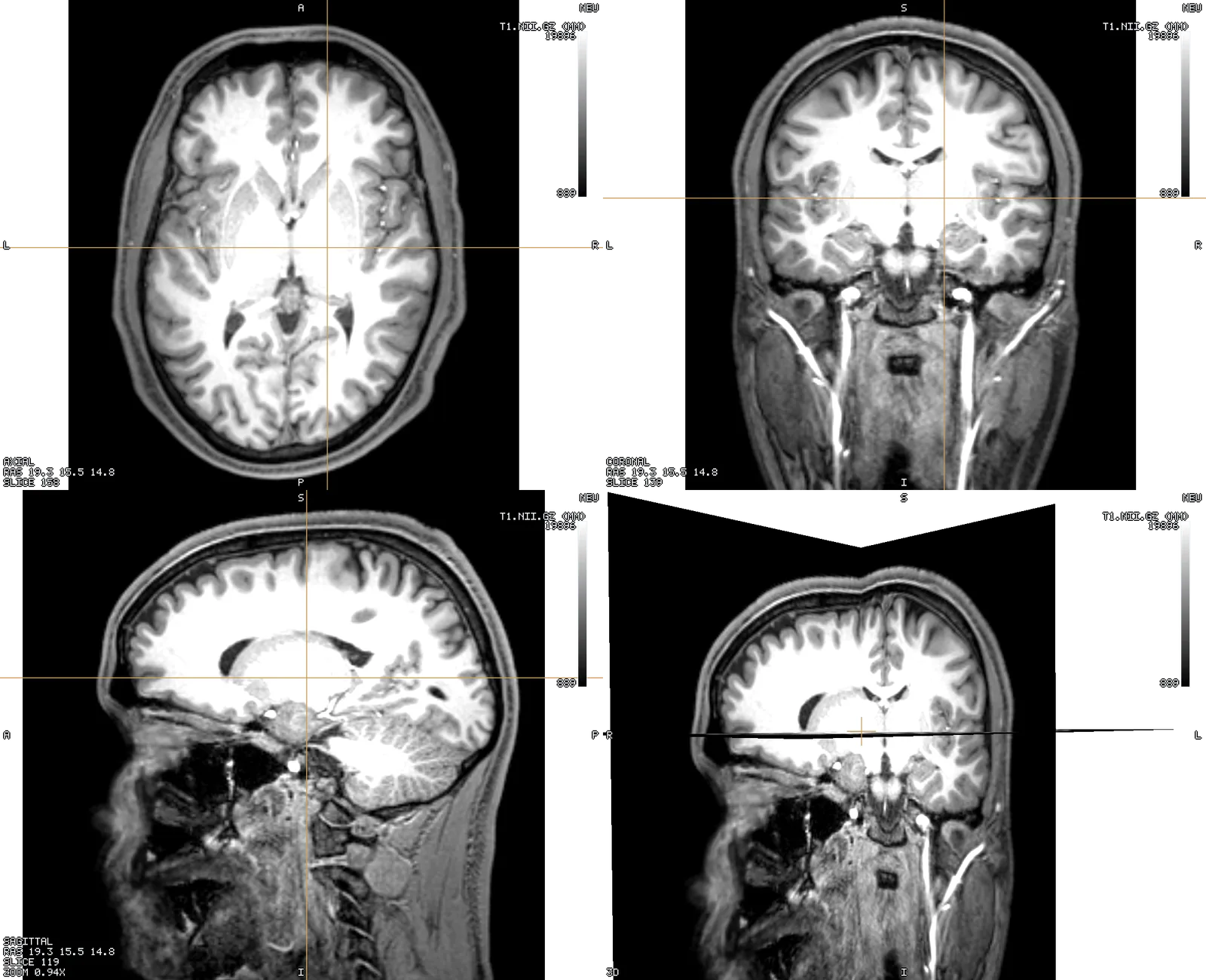
screenshot.py | Two figures — an axial T1 and a pial surface over the T1's 3D planes — from one app launch. |
sweep.py | A 32-frame axial sweep through a simulated field as a GIF and an MP4. |
orbit.py | A 36-frame turntable, with the palette and size knobs that keep a GIF shareable. |
showcase.py | The whole showcase film: six jobs, ~2,900 frames, captions burned on with ffmpeg. |
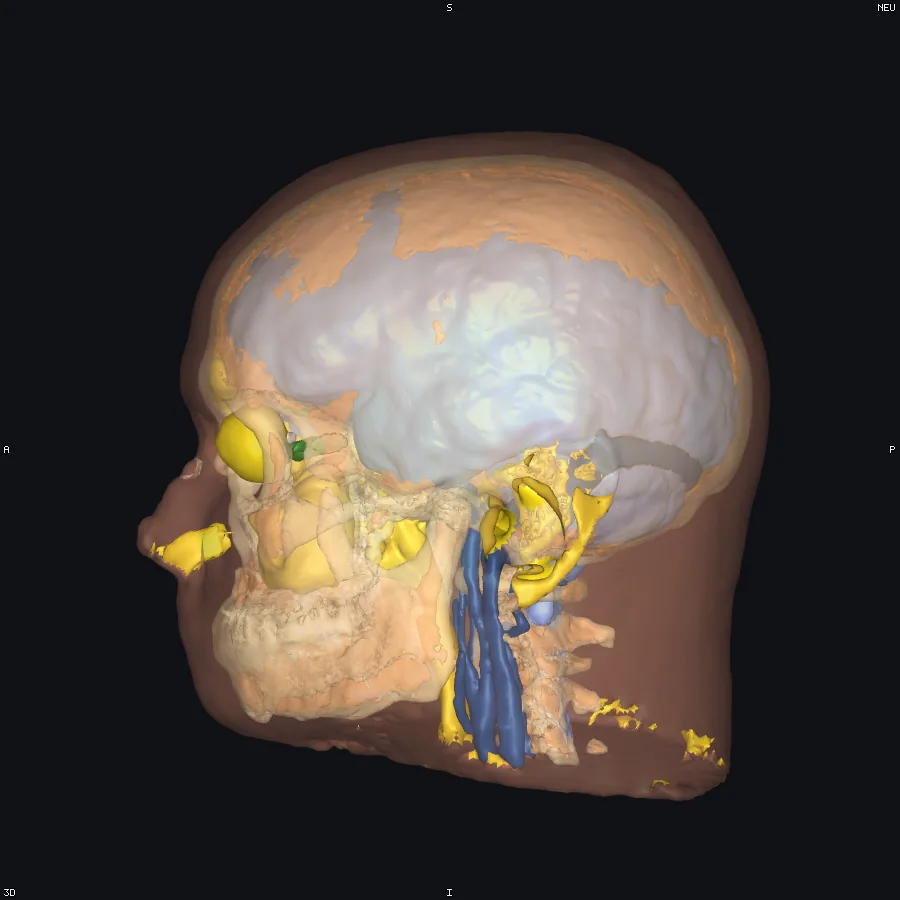
4. How it is put together
Two halves, and the line between them is the one §5 and §8 already draw.
- Main (
packages/app/src/main/) owns the filesystem, the window, ffmpeg and the exit code.job.tsis the schema and the argv parser, and it is pure — which is what lets the schema be unit-tested with no Electron and no GPU.job-runner.tsis the lifecycle;gif.tsandpng.tsare the encoders. - The renderer (
packages/app/src/renderer/src/automation/) owns every decision about what a picture contains, and makes each one through theEnginefacade and theShellController— the same calls a user makes with the mouse. There is no automation-only path into the renderer, which is what keeps a job's output honest.presets.tsandframes.tsare pure and unit-tested;run.tsis the executor.
PNG bytes cross IPC; dataset bytes never do. A screenshot is an image the renderer just produced, bounded by the window — the same kind of blob the screenshot button already reads back. Raw file bytes still reach only the dataset's worker, over tetravox://file/…, exactly as §5 rule 3 requires. Every path a job names is added to that allow-list before the renderer asks for it: the job file naming a path is the user naming it.
Tests
| Test | What it covers |
|---|---|
packages/app/src/main/job.test.ts | The schema, as claims about the document and about what a bad job is told. |
packages/app/src/main/gif.test.ts | The GIF encoder, round-tripped through an independently written reader. |
packages/app/src/renderer/src/automation/frames.test.ts | Sweep offsets and orbit quaternions, checked by rotating vectors rather than by comparing components; the tween's easing curves, its numeric interpolation, and the deep merge that keeps a nested layer field intact. |
packages/app/src/renderer/src/automation/presets.test.ts | The presets, over datasets with known distributions. |
packages/app/e2e/automation-realdata.spec.ts | The whole thing, offscreen, on ernie: a screenshot job, a 10-frame sweep, a 12-frame orbit, the field-over-anatomy preset, and a window.panels + view: "window" capture asserted to differ from the same scene's grid — the images are the requested size, are not blank, and differ frame to frame. Skips when TETRAVOX_TESTDATA is unset. |
python/tests/test_client.py | The client's documents, and one example end to end against a dev build. Skips when either is missing. |
python/tests/test_modules.py | Job.module, the typed sEEG wrappers and JobResult.results() — documents only, so they run with no app and no extension in the build. |
packages/app/e2e/module-job.spec.ts | A --job launch that activates an extension and runs its operation, asserted through job-result.json and the scene it saved. The tetravox.hello half runs everywhere (the data is testdata/); the sEEG half is gated on TETRAVOX_SEEG_FIXTURE, which names a built extension to stage. |
5. Regenerating the showcase
examples/capture/showcase.py owns the showcase jobs, shot sequence, timings and captions. It renders through the same offscreen job path described above and uses ffmpeg to assemble docs/media/showcase.mp4 and docs/media/showcase-preview.gif. Edit the script's shot list to change the film; a separate Markdown storyboard would duplicate that source. Dataset provenance and gallery capture guidance live in /developers/testing.
scripts/fetch-data.sh
pip install -e python/
pnpm wasm && pnpm --filter @tetravox/app build
export TETRAVOX_APP="$PWD/node_modules/.bin/electron" TETRAVOX_APP_ARGS="$PWD/packages/app"
python examples/capture/showcase.py
The tour captures the actual interface with panels; the data acts capture the engine canvas. Each act starts from its own scene so temporary frame storage is bounded and scene state is reproducible. The source dataset inventory is data/README.md. The existing film demonstrates linked anatomy slices, labels and a region surface, scalar volume/mesh fields, tissue opacity, clip caps, isolation, vector arrows and electrode points. It is a historical capture, so consult docs/USER_GUIDE.md for current control names. Its absence of annotation attachment, oblique slicing or measurements is not a claim that the viewer lacks those features. In particular, driving an anatomy plane through a region surface is distinct from clipping that surface.
Native scene API
External applications can load .tetravox.json files and save the current edited view without embedding TetraVox. Callers choose locations and naming; TetraVox uses its normal scene loader and serializer. The app package advertises support with sceneApiProtocol: 1.
Requests
Create a private temporary directory and a JSON file inside it (0700 directory / 0600 file on POSIX; current-user-only ACL on Windows). Invoke the native executable with --scene-request=/absolute/request.json. The existing instance handles it, or a new one starts. Use a fresh file and a random 32-hex id per request.
Load a scene:
{"protocol":1,"id":"0123456789abcdef0123456789abcdef","action":"open-scene","path":"/analysis/source.tetravox.json"}Save the current live view, including edits:
{"protocol":1,"id":"abcdef0123456789abcdef0123456789","action":"save-scene","path":"/analysis/views/edited.tetravox.json","expectedScenePath":"/analysis/source.tetravox.json"}expectedScenePath is optional: omit it to save whichever scene is currently open, including one opened manually. Loading through this API first is not required. overwrite defaults to false; pass true to replace an existing regular output file atomically. Saving is an export: it does not change the current attachment or native Save/Save As defaults. The caller creates the output directory before requesting a save. Scene paths must be absolute and canonical (resolve symlinks in parent directories first); symlink targets are rejected for both loading and saving. Ordinary scene-loading guards still apply.
Completion
Wait for <request file>.receipt.json, then validate its protocol, id, ok and path:
{"protocol":1,"id":"abcdef0123456789abcdef0123456789","ok":true,"path":"/analysis/views/edited.tetravox.json"}A failure receipt has ok:false and an error message. A successful process launch alone is not a scene completion. Clean up the private request directory after receiving the reply. Bound the wait in the caller; invalid/private-file checks may refuse a request without writing a receipt. Requests are limited to 16 KiB and must be read within 60 seconds. Renderer replies time out after 25 seconds. A timeout is not permission to overwrite or automatically repeat an action that may still be completing.
The transport is local and has no listening port. Native updates remain TetraVox's responsibility. See architecture and testing for the implementation contract and checks.