Get started
Install the app first — the Install page has the official macOS, Linux and Windows instructions.
A first look
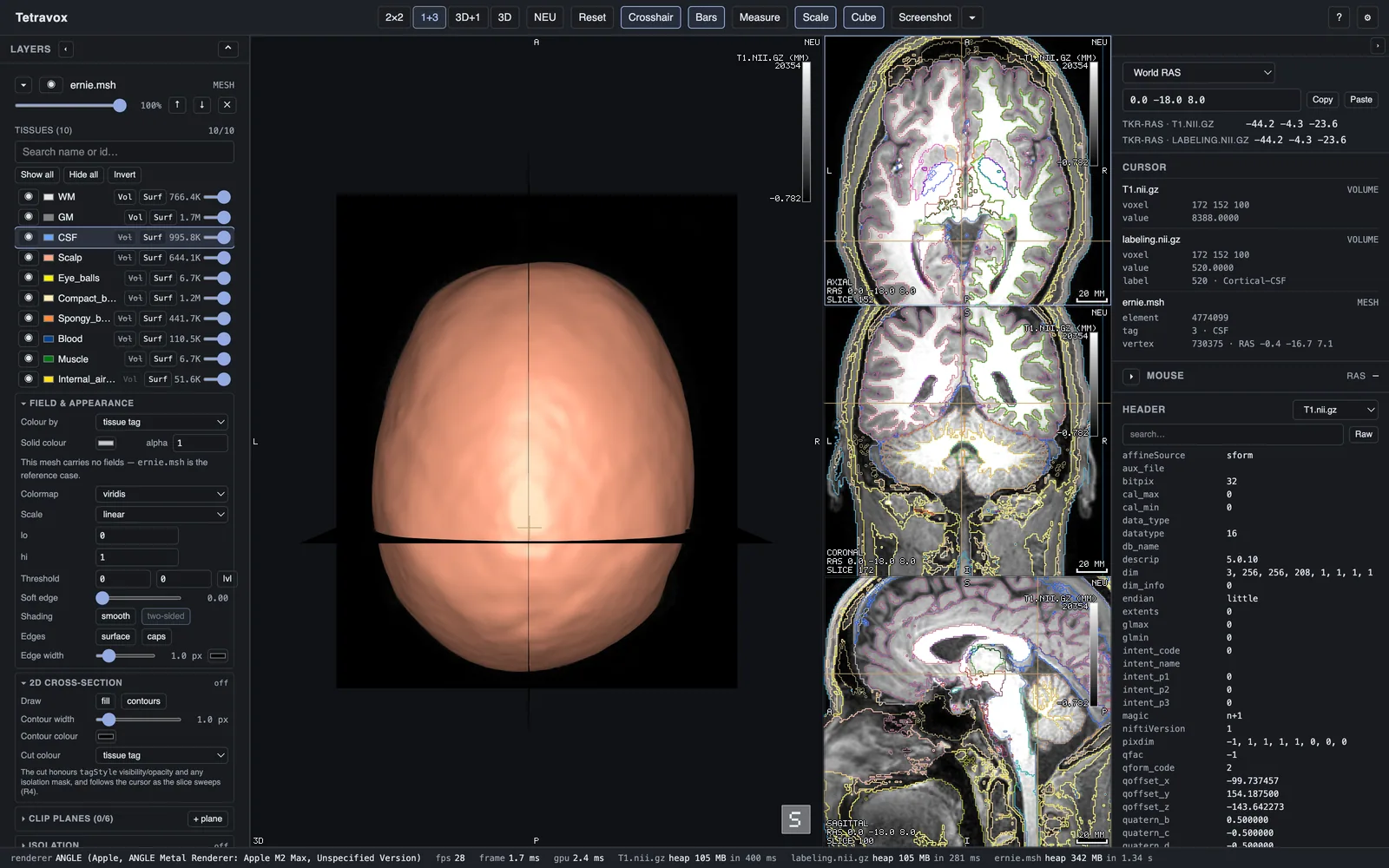
The window is three areas: the view grid in the centre (2D panes plus a 3D pane, in a layout you cycle with x), a left panel listing your layers — volumes, meshes, points, isosurfaces — each with its own editor, and a right panel for regions and measurements. A coordinate bar and an info panel along the top report what is under the crosshair and under the pointer, in every coordinate space that data supports.
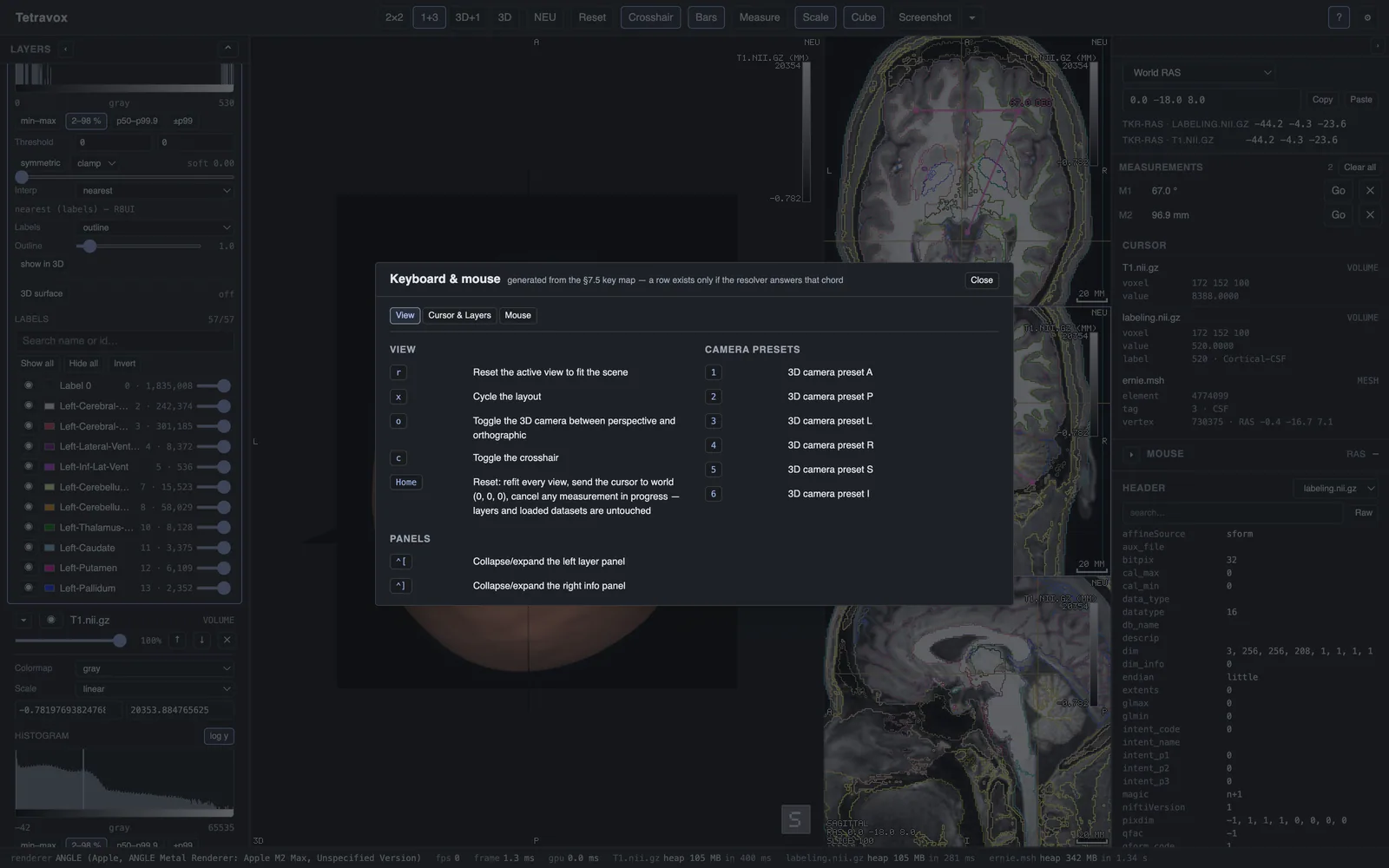
The toolbar rail down the side holds the view controls; ⚙ opens Settings (the FreeSurfer subjects directory that turns on fsaverage vertex read-out, and "reopen last scene on launch" — machine preferences, not scene state), and ? opens the key-map dialog, whose tabs group every binding by what it acts on.
File formats and file associations
Tetravox opens NIfTI (.nii, .nii.gz), FreeSurfer (.mgh, .mgz), NRRD (.nrrd) and MetaImage (.mha) volumes; Gmsh (.msh), VTK (.vtk, .vtu, .vtp), MEDIT (.mesh), GIfTI and FreeSurfer surfaces, STL/PLY/OBJ/OFF; and its own scene format (*.tetravox.json) — drag a file onto the window, use Open…, or pass a path on the command line. NRRD and MetaImage must carry their data in the same file: a detached .nhdr / .mhd header is reported, not read. DICOM is out of scope — convert with dcm2niix first.
Where to go next
- Wiki — opening data, the panes, layers, regions, meshes, measuring, coordinates, scenes, themes, keyboard shortcuts and troubleshooting, one topic per page.
- Gallery — the film, the same viewer across CT and MRI of the head, chest, abdomen and spine, and every captured plate.
- Automation & Python — driving the same engine headlessly from a script.
- Developers — building from source, the architecture and how releases are cut, if you're contributing.