Analyzer Module
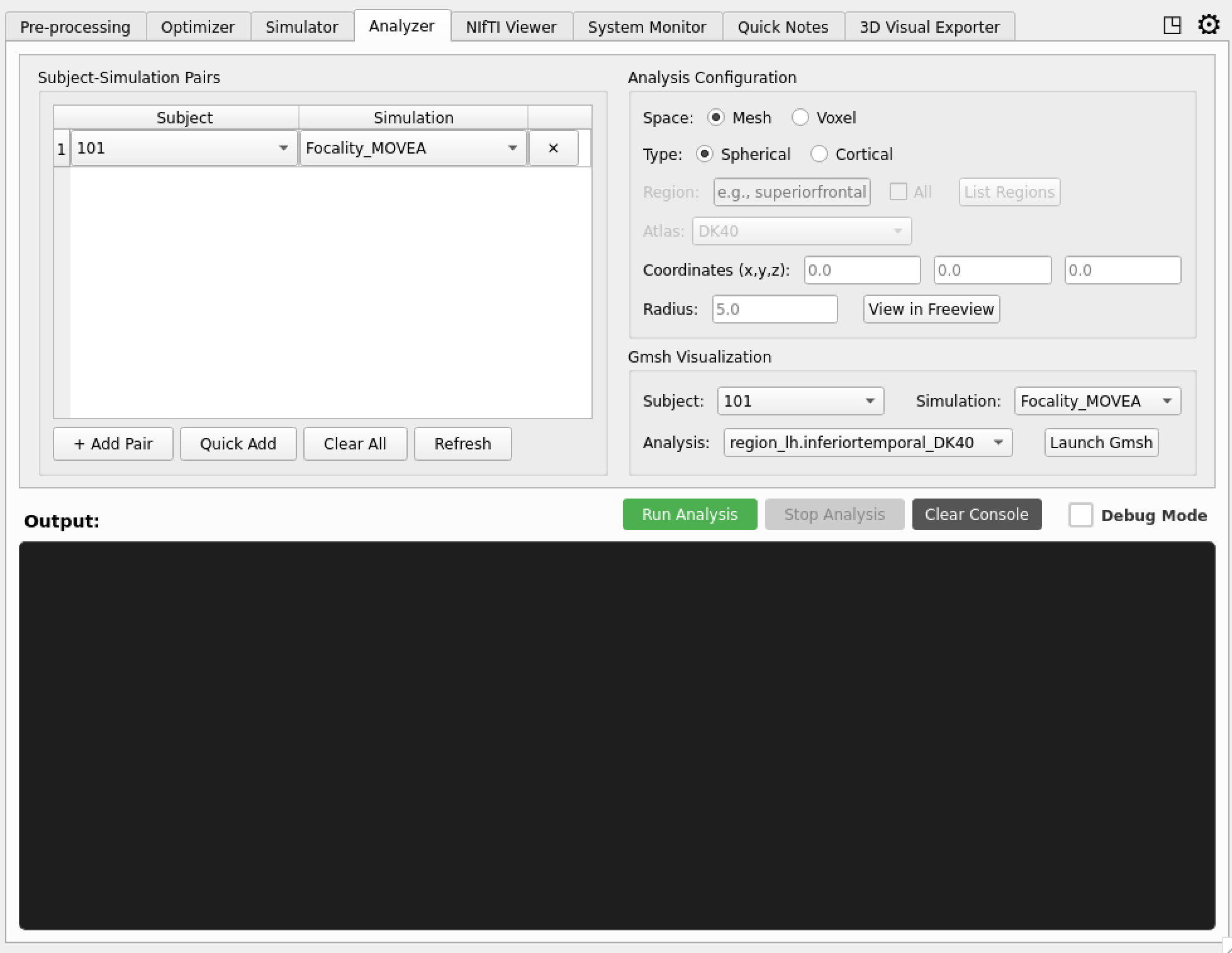
The Analyzer module provides analysis capabilities for TI simulation results, supporting both mesh-based and voxel-based data analysis. It provides descriptive statistics and visualization for understanding field distributions in the brain as a whole and specific regions of interest.
Important Quantities of Interest to Recognize
- A. Mean TInorm Intensity in ROI: Maximal modulation depth (aka TImax).
- B. Mean TInorm Intensity in non-ROI: Could be defined as entire cortex or a specific avoidance target.
- C. Focality: Ratio between A/B
- D. TInormal: Normal component of TInorm with respect to fifth layer of the cortex.
Overview
The Analyzer module provides a single unified Analyzer class that handles both mesh and voxel analysis, plus a run_group_analysis() function for multi-subject comparison:
- Analyzer: Unified class that dispatches spherical and cortical ROI analyses to the appropriate mesh- or voxel-based implementation, returning a typed
AnalysisResultdataclass - Group Analysis: Batch processing for multiple subjects via
run_group_analysis()
Key Features
Spherical ROI Analysis
- Analyze field data within spherical regions of interest
- Customizable center coordinates and radius
- Support for subject-space and MNI coordinates (automatic transformation)
- Dual-field analysis: TI_max and TI_normal components (mesh space)
- Statistical metrics: mean, max, min, focality, percentiles, and area-based focality
Cortical Analysis (Single Region)
- Analyze specific brain regions using atlas parcellation
- Support for various atlases (DK40, HCP_MMP1, FreeSurfer)
- Detailed regional statistics and visualizations
Unified Mesh + Voxel Handling
- Single
Analyzerclass automatically dispatches to mesh or voxel implementation based on thespaceparameter - Mesh analysis: area-weighted statistics on cortical surface meshes
- Voxel analysis: volumetric statistics on NIfTI data with FreeSurfer atlas integration
Mesh-Based Analysis
When space="mesh", the Analyzer works with SimNIBS mesh files and provides high-resolution analysis of field data on brain surfaces.
Features
- Surface Mesh Generation: Automatic creation of gray matter surface meshes via
msh2cortex(cached per instance) - Atlas Integration: Support for SimNIBS native atlases (DK40, HCP_MMP1)
- Field Extraction: Analysis of TI_max and TI_normal fields
- 3D Visualization: Generation of mesh files for 3D viewing
Cortical ROI Analysis
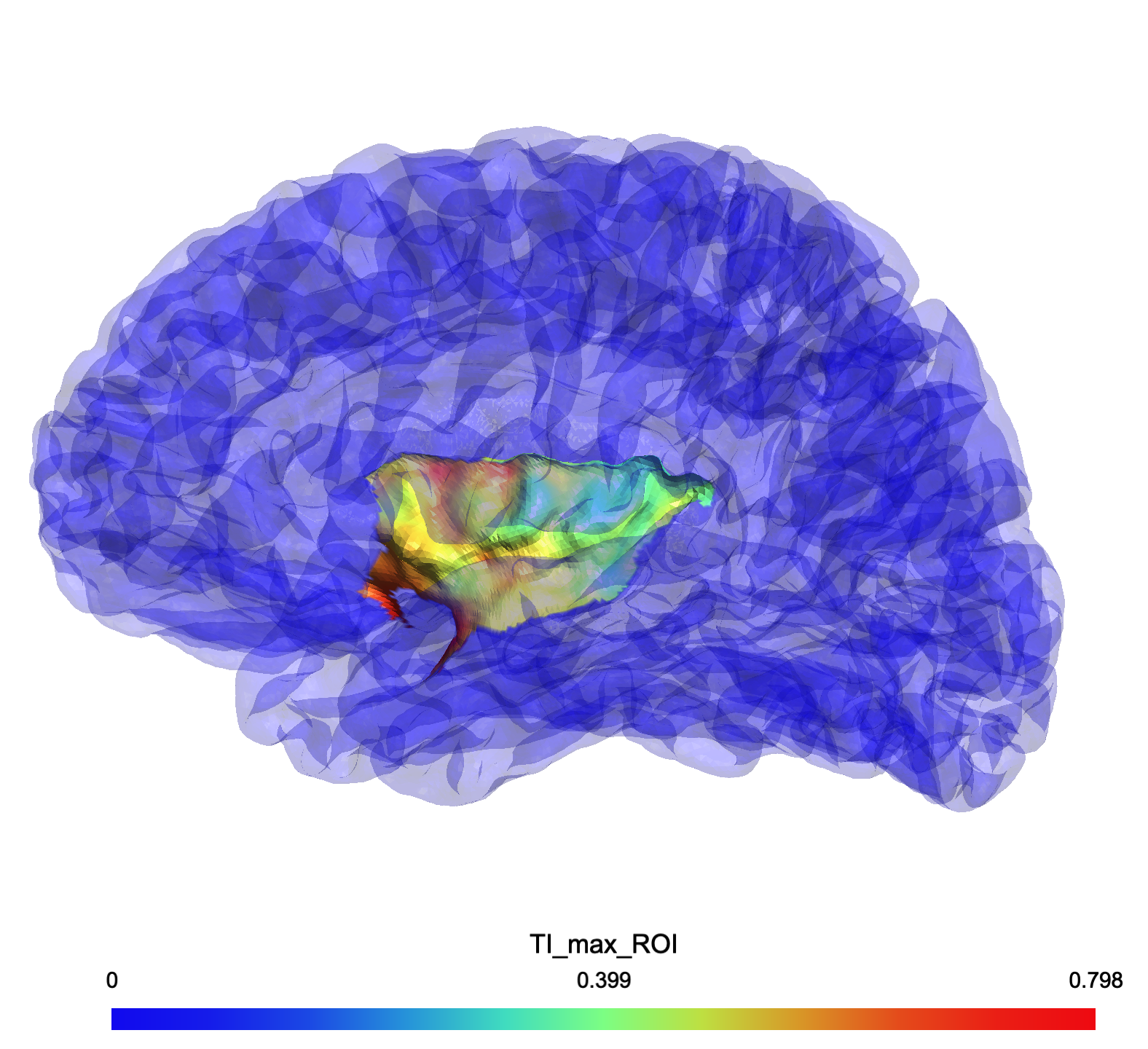 TInorm field distribution in ROI (Left Insula)
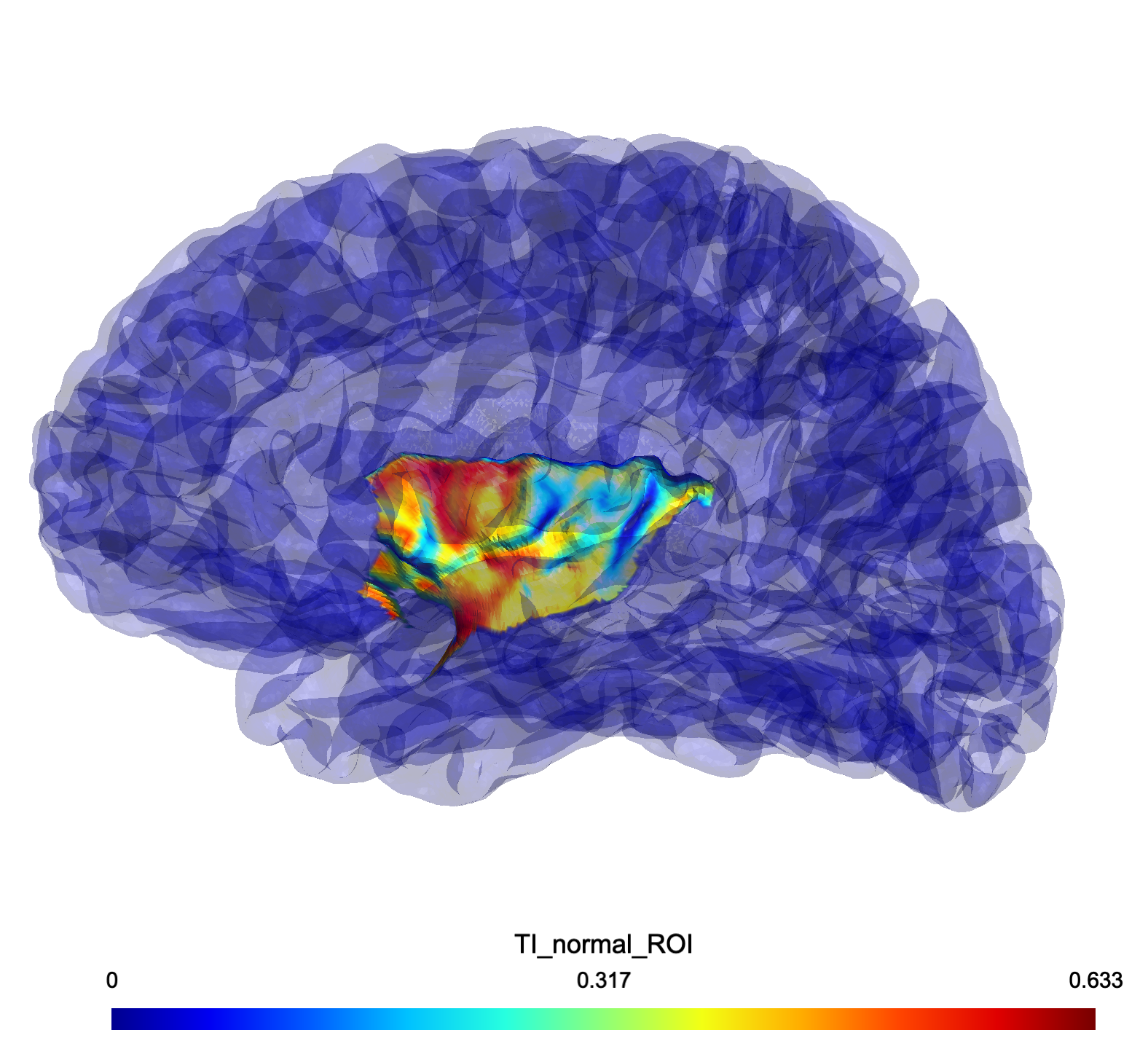 TInormal field distribution in ROI (Left Insula)
Spherical ROI Analysis
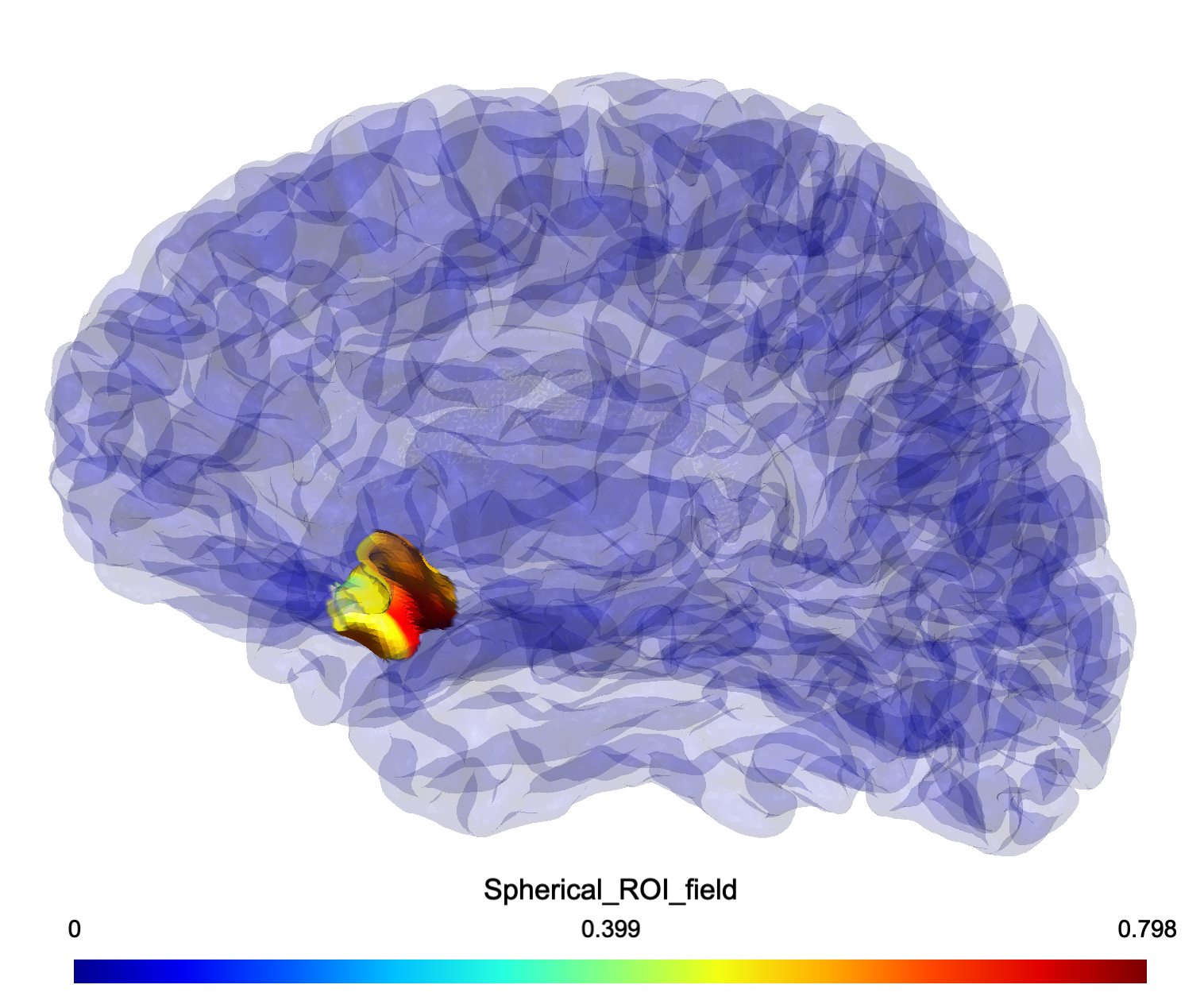 Spherical ROI analysis showing TI_max field distribution within a 10mm radius sphere at coordinates (-31.3, 24.0, -37.0)
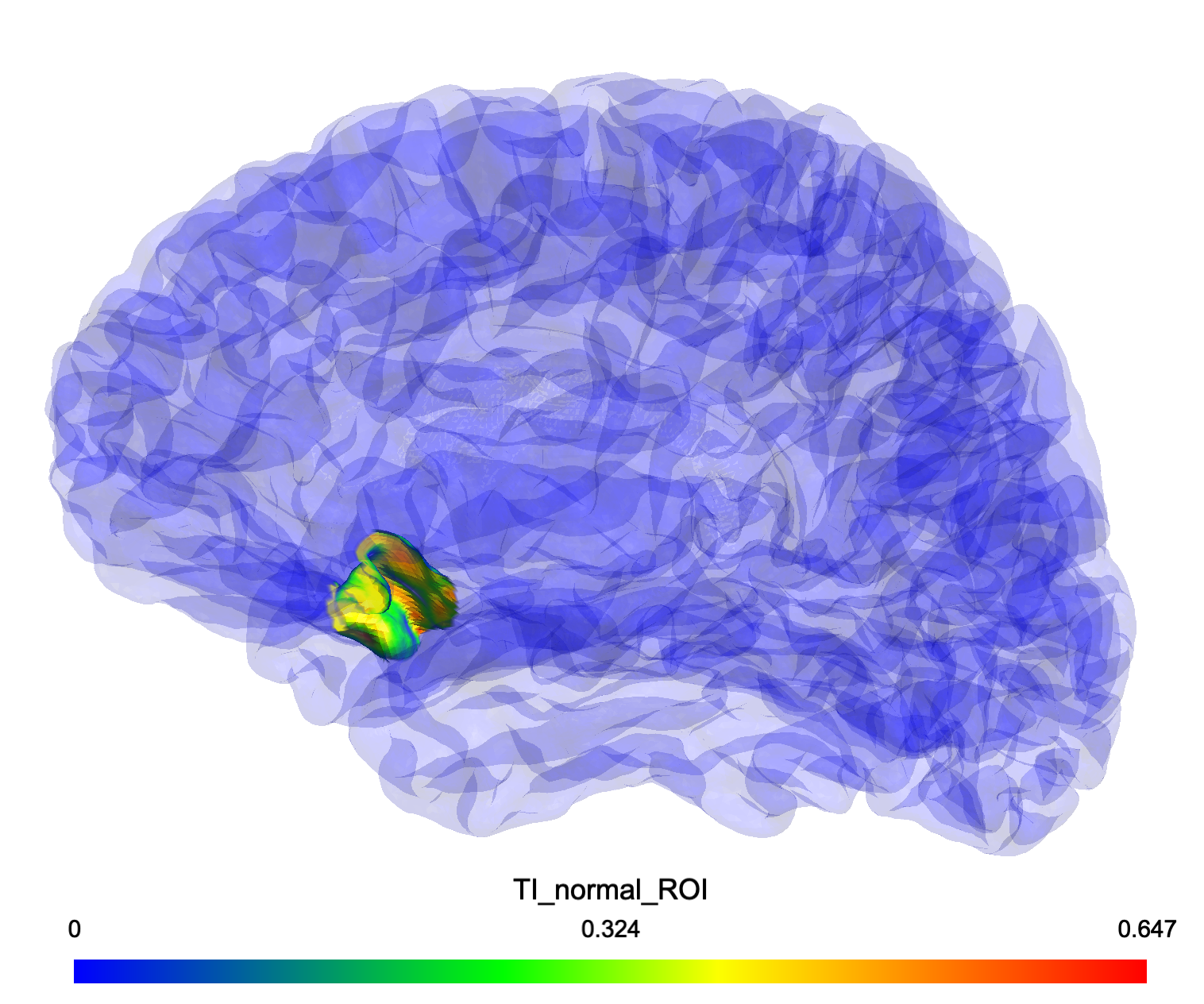 Spherical ROI analysis showing TI_normal field distribution for the same target region, demonstrating directional field components
Voxel-Based Analysis
When space="voxel", the Analyzer handles NIfTI format files and integrates with FreeSurfer atlases for detailed volumetric analysis.
Features
- NIfTI Support: Direct analysis of .nii, .nii.gz, .mgz files
- FreeSurfer Integration: Automatic atlas region extraction and resampling
- Visualization Overlays: Generation of ROI-specific NIfTI overlays
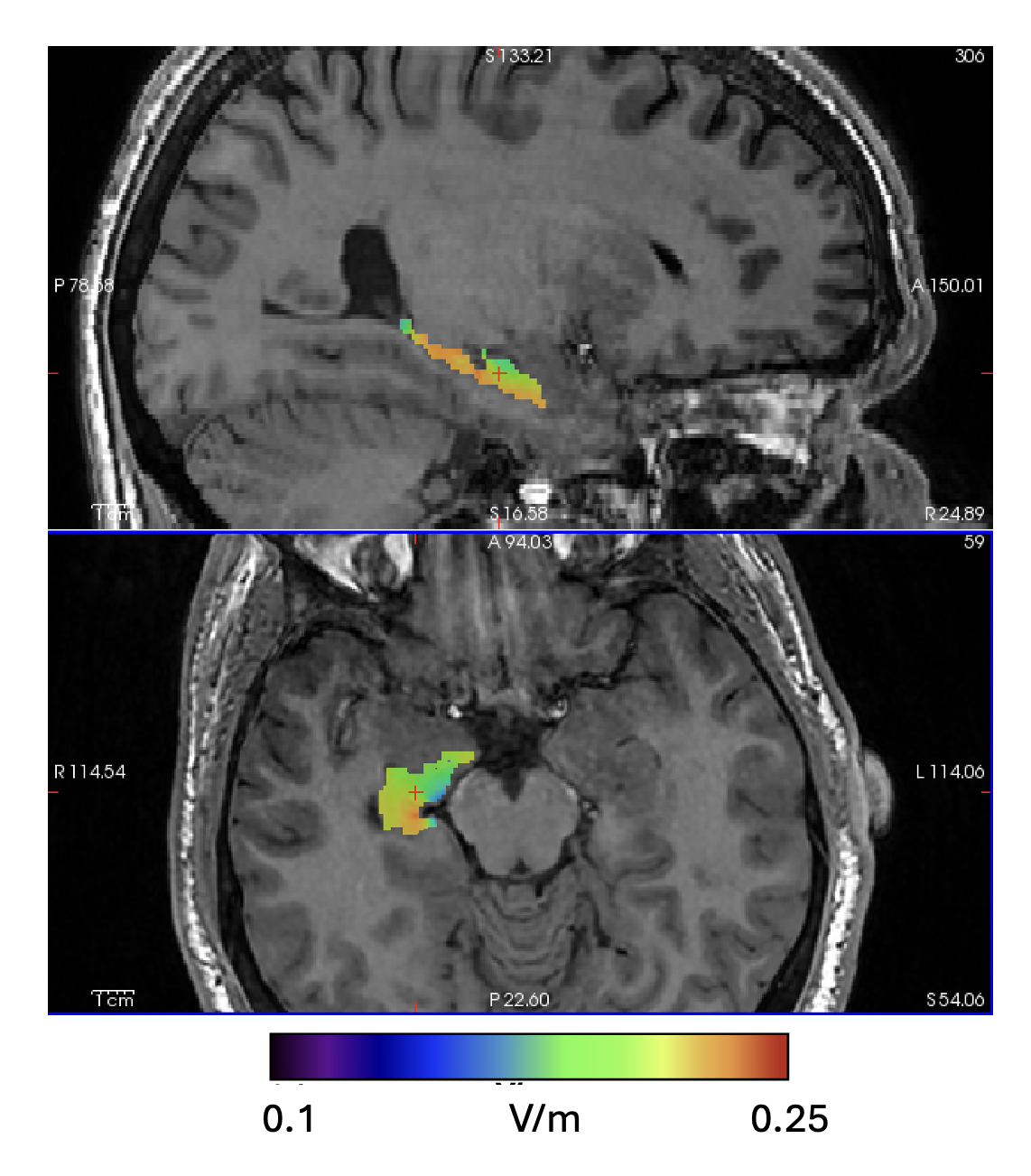 Right Hippocampus ROI analysis showing TI_max field distribution given a 1mA:1mA stimualtion
Statistical Analysis Visualization
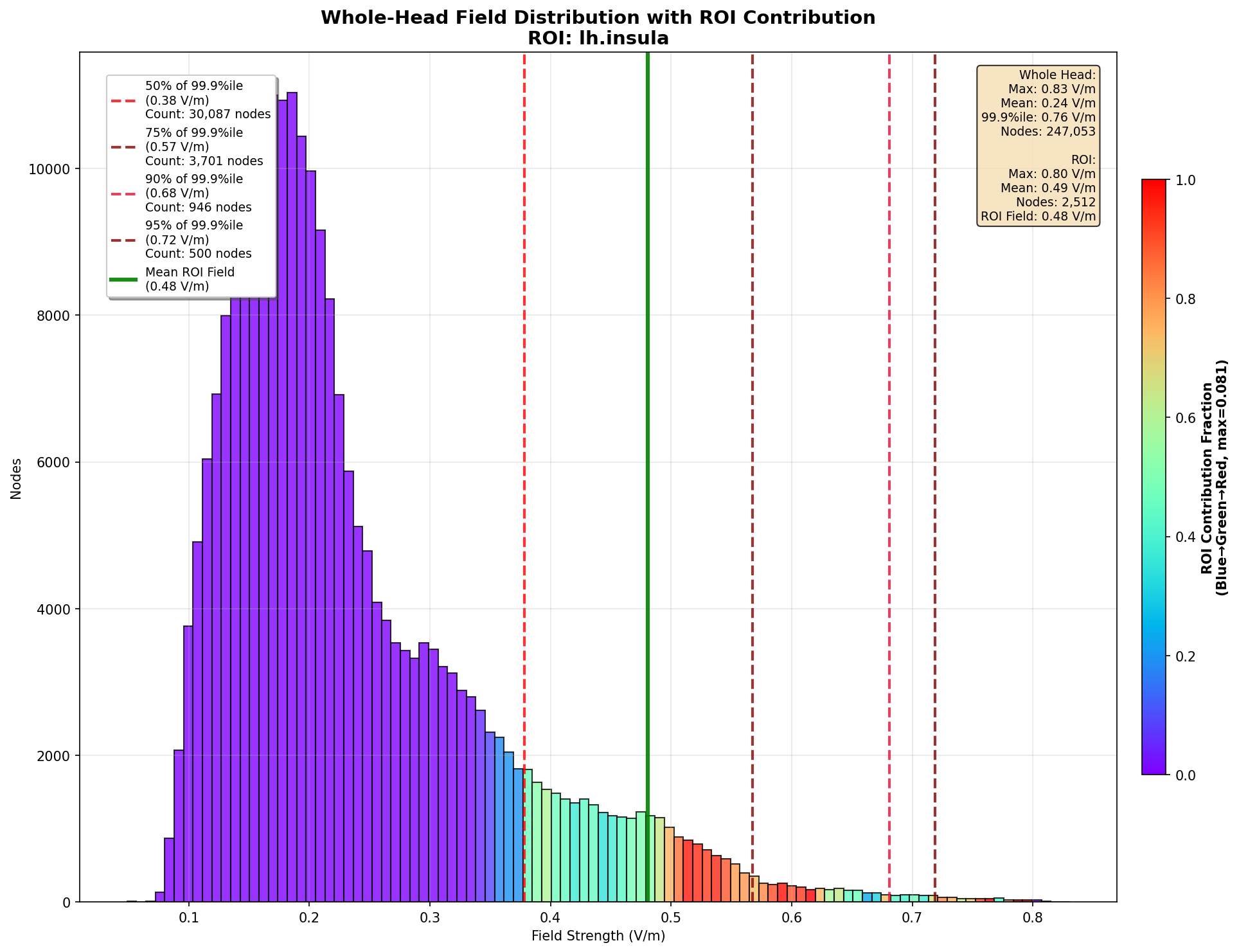 Region-of-interest histogram analysis for left hemisphere insula showing field distribution within target areas
AnalysisResult Fields
All analysis calls return an AnalysisResult dataclass with the following fields:
Core Identifiers:
field_name: Name of the field analyzed (e.g. “TI_max”)region_name: Name of the ROIspace: “mesh” or “voxel”analysis_type: “spherical” or “cortical”
TI_max Field Metrics:
roi_mean: Area/volume-weighted average TI_max in the ROIroi_max: Peak TI_max field intensity in the ROIroi_min: Minimum TI_max field intensity in the ROIroi_focality: ROI mean / GM mean (selectivity measure)gm_mean: Area/volume-weighted average across entire grey mattergm_max: Maximum TI_max value across entire GM
TI_normal Field Metrics (mesh only):
normal_mean: Average TI_normal field strength in the ROInormal_max: Peak TI_normal field intensity in the ROInormal_focality: TI_normal ROI mean / TI_normal GM mean
Percentile Metrics:
percentile_95,percentile_99,percentile_99_9: Field value at each percentile
Focality Area Metrics:
focality_50_area,focality_75_area,focality_90_area,focality_95_area: Area/volume above X% of the 99.9th percentile value (in cm^2)
Size Information:
n_elements: Number of mesh nodes or voxels in the ROItotal_area_or_volume: Total area (mesh, mm^2) or volume (voxel, mm^3) of the ROI
Group Analysis
The run_group_analysis() function enables batch processing and comparative analysis across multiple subjects and montages, returning a GroupResult object.
Flexible Group Combinations
Group analysis supports arbitrary combinations of subjects and montages:
- Same subject x Multiple different montages: Compare different stimulation configurations within the same individual
- Multiple subjects x Same montage: Assess inter-subject variability for a specific stimulation protocol
- Multiple subjects x Different montages: Full factorial design comparing both subject variability and montage effects
Features
- MNI Coordinate Support: Automatically transform MNI coordinates to each subject’s native space
- Comprehensive Comparisons: Automatic generation of statistical comparisons, rankings, and visualizations
- Centralized Logging: Consolidated logging across all subjects and analyses
- Progress Tracking: Real-time progress monitoring with timing information
Mesh Analysis Quick Inspection with Gmsh Integration
The analyzer now includes direct Gmsh integration for easy visualization and inspection of mesh analysis results.
Features
- One-Click Launch: Directly launch Gmsh from the GUI to inspect mesh analysis results
- Automatic Mesh Detection: Automatically finds and loads mesh files (.msh) from completed analyses
- Subject/Simulation Selection: Dropdown selectors for choosing specific subjects, simulations, and analysis types
Supported Analysis Types
The Gmsh integration works with all mesh-based analyses:
- Spherical ROI analyses with generated mesh overlays
- Cortical region analyses with atlas-based parcellations
- Whole head analyses with comprehensive field distributions